
A dashcam doesn’t feel important until you need one. A fender bender with no witnesses, or an insurance claim that turns into a he-said-she-said situation. Having footage of what actually happened can be the difference between a smooth claim and a messy dispute.
Most dashcams cost between $30 and $100, but an old phone sitting in a drawer already has the camera, storage, and processing power to record road footage. In fact, turning an old phone into a dash cam using a free app is entirely possible. Getting it to work reliably, though, takes a bit of setup.
Severe overheating risk in summer
Dashboard heat kills old phone batteries

Using an old phone as a dashcam sounds like a smart way to repurpose a device that’s collecting dust. But once the phone is mounted and recording for long stretches, heat becomes the first real problem. A phone acting as a dashcam is doing three things at once: running a camera app continuously, processing and writing video to storage, and charging through a cable the whole time. All three generate heat, and together they can push the phone well beyond its comfort zone.
Since the phone sits near the windshield, the glass traps and intensifies the surrounding heat. Air conditioning does not fully solve that either, because it cools the cabin air, not the phone’s surface, while it is baking in direct sunlight. Older phones can make this worse because their processors and batteries are no longer as efficient as they once were, especially under sustained workloads like continuous video recording.
Lithium-ion batteries are rated to operate safely up to around 45°C (113°F), and when a phone crosses that threshold repeatedly, the electrolyte inside the battery begins to break down and produce gas. This is what causes the battery to swell. In an enclosed phone sitting in a hot car, a swollen lithium-ion battery is a fire hazard, especially in older devices where the battery has already lost some of its original capacity and chemical stability through years of charge cycles.
To keep heat under control, start with the charger. Switching from a fast charger to a basic 5W charger cuts down on charging heat, since fast charging adds more warmth on top of the heat from recording and sunlight. It also helps to remove the phone case, since even a thin layer of silicone traps heat against the back panel.
Automatic recording is not guaranteed
Your phone won’t record itself
Unlike a dedicated dashcam that starts recording when the car turns on, a phone usually needs you to start the process manually. You have to unlock it, open the app, and tap record before you start driving. Forget any one of those steps, and you’re driving with no footage. The native camera app also has no concept of loop recording. It records until the storage fills up, and then it stops. You could drive around assuming the camera is running, only to find out it stopped recording hours ago.
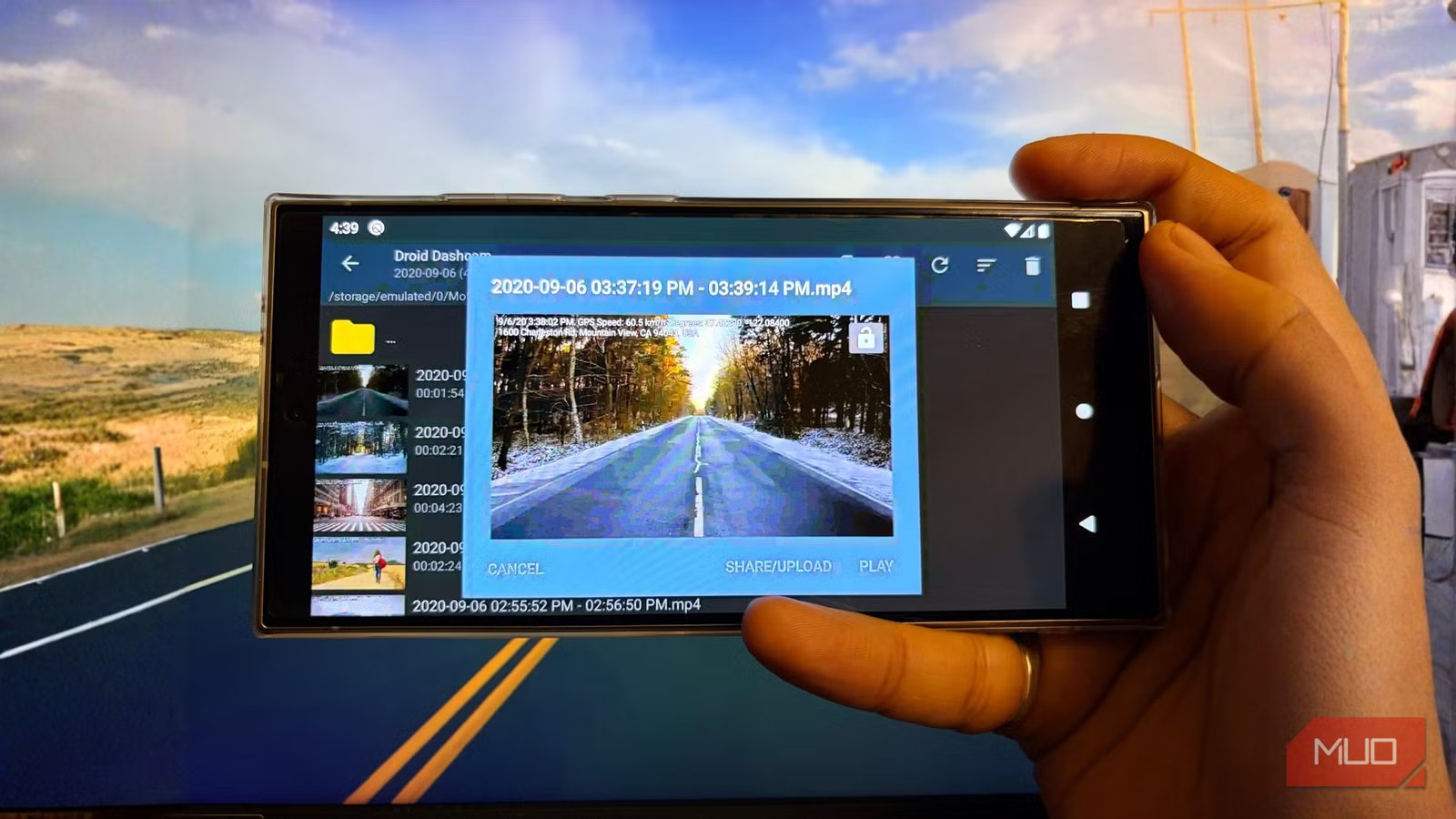
To fix both problems, you need a proper dashcam app. Droid Dashcam, for example, handles this much better than the regular camera app. It can start recording automatically when the phone receives power from a car charger or connects to a specific Bluetooth device. It also supports loop recording, so you can set a storage limit and let the app overwrite the oldest clips when that space fills up.
The app also has a G-shock sensor that locks footage during sudden braking or a collision, so the clip is not overwritten during loop recording. These settings need to be enabled before your first drive, but once they are set, the phone behaves much more like a real dashcam.
Windshield mount limitations
Generic mounts aren’t built for this

A phone is heavier and bulkier than a dedicated dashcam, and most generic mounts are not built for constant road vibration. The result is shaky footage, sometimes to the point where frames blur and details become unreadable. Dedicated dashcams are compact, lightweight, and built to absorb road vibration through their mounts. Spring-loaded clamps usually don’t offer that same stability. A mount with a firm grip and minimal flex helps. Even then, bumpy roads will usually produce rougher footage than a dedicated dashcam.
The phone also needs to stay plugged in, so a charging cable has to run from the mount to a power source. Routing it along the dashboard trim or tucking it behind panels keeps it out of your line of sight. A phone on the dash is also much more visible from outside the car than a small, discreet dashcam. At night, this gets worse, since a glowing screen is easy to spot from a distance, though apps like Droid Dashcam do record with the screen off, which helps. Still, leaving it mounted while parked means either removing it every time or risking a broken window over an old phone.
Where the phone actually wins
One thing the phone actually does better than most budget dashcams is audio clarity. Dashcam microphones are usually designed to capture basic cabin sound, enough for evidence but not much more. Phone microphones are built for calls and voice recording with noise cancellation, so they can capture speech with more detail. During a roadside incident or an insurance dispute, that difference in clarity can matter when what was said is just as important as what the camera saw.
If the phone supports a microSD card, use one with a high endurance rating. Standard cards aren’t built for continuous read-write cycles and tend to fail faster under dashcam workloads, while high-endurance cards handle this well and don’t cost much more. And if dashcam duty isn’t what you had in mind, the same old phone can also turn into a home security camera.



