Google’s efforts to transform online search and the ways we find information on the web continue, and there’s now a new feature available in AI Mode: information agents. This new feature will keep tabs on news for you and ping you when needed. (At least, that’s the idea.)
The update was announced at Google I/O 2026 back in May, but it’s now appearing for those with a Google AI Ultra subscription (that’s the $99.99 or $199.99 per month one). Google’s Robby Stein says that more people will be getting access in the summer.
Google hasn’t been any more specific than that, but presumably this will filter down to the other paid plans in the next few months, and eventually to everyone. I’m making use of my Ultra subscription here to get these information agents running.
This Tweet is currently unavailable. It might be loading or has been removed.
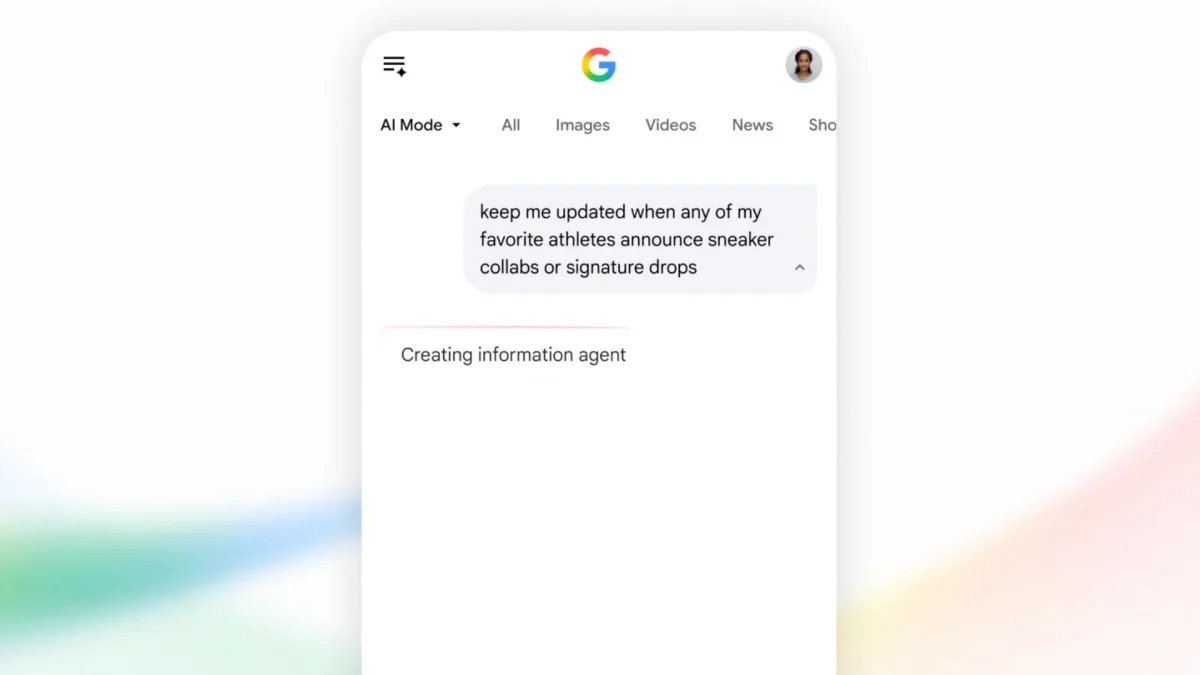
Here’s the idea: You look up, say, news on the next James Bond movie. Then AI Mode can keep tabs on the web and ping you whenever there’s news on a casting decision, a release date, or a trailer. It saves you having to run multiple searches because the information comes to you (it’s a bit like the old Google Alerts, if you remember those). These updates appear both in the AI Mode section of Google search and in the Google app on your phone. Or at least they’re supposed to.
How my information agents worked (or didn’t)
To set up your information agents, you can head to Google search on the web, then switch to AI Mode via the button in the search box. You then launch your search like you would if you were chatting to Gemini—something like “tell me who the main stars are in the upcoming Christopher Nolan film The Odyssey.”
After you’ve got your answer, which is hopefully hallucination-free, you might get asked at the end if you want to set up an information agent to keep you updated on whatever it is you’ve searched for. If you don’t get asked, you can put in the request anyway: Tell Google to “keep you updated” or words along those lines.

After some cajoling, I got my World Cup news.
Credit: Lifehacker
You’ll receive a confirmation message, and then whenever new information appears online, you’ll get pinged about it. Updates appear as notifications in the Google app on mobile, and as new entries in the original AI Mode conversation—so if you delete the chat, you stop getting updates (you can access your previous chats via the AI Mode history button on the left.
What do you think so far?
Google doesn’t say how often you’ll get updates, but in my experience it was… not at all. I set up an information agent to keep me updated on the latest World Cup scores and group standings, which I thought was a fairly straightforward task, but my Google app stayed stubbornly silent and the AI Mode chats stayed static over a whole day as the goals went in and the matches went by.
Looking around the web, it seems that AI Mode information agents are working for other people, so this appears to be an isolated bug that may well get ironed out in a few days—but it’s frustrating to have these features launch and then not work properly. I’ve had the same experience with Gemini Omni too, so maybe it’s just me.

Thank you, AI Mode, for my updates.
Credit: Lifehacker
What did work was telling the information agents to give me a daily summary at a specific time. When I did this, I did indeed get a delivery of the latest World Cup news and everything that had happened in the tournament over the past 24 hours, both in the Google app and as an update to my conversation with AI Mode.
In fact, this might be a better way to use this rather than expecting updates at random times throughout the day. I can definitely see myself using it for big news topics I’m interested in, and to pick up stories I might otherwise miss, though it doesn’t seem to be set up for important breaking news.