We’ve lost something in the past 15 years. Netflix, Amazon, Disney, Apple; they’ve all convinced us that streaming is the best way to watch movies and shows at home. With everything at our fingertips, there’s no need to run to Blockbuster for the weekend’s entertainment, or wait for a DVD rental to arrive in the mail. And going to the movie theater is a luxury — one that keeps getting more expensive.
But we were, all of us, deceived. We traded quality for convenience. And while TVs have improved drastically, we feed them inadequate, bitrate-starved, internet-throttled streams that won’t let our fancy screens show their full potential. Blu-ray sales have plummeted, and even though 4K Blu-ray sales went up slightly last year, they’re never returning to what they were. Throughout all of that, I’ve always known there was a better way.

$2995
The Good
- High bitrate capability for visually lossless quality
- Atmos sounds clear and accurate
- Far superior to popular streaming apps
The Bad
- Incredibly pricey
- Limited internal storage
- Only supports expensive in-ecosystem storage
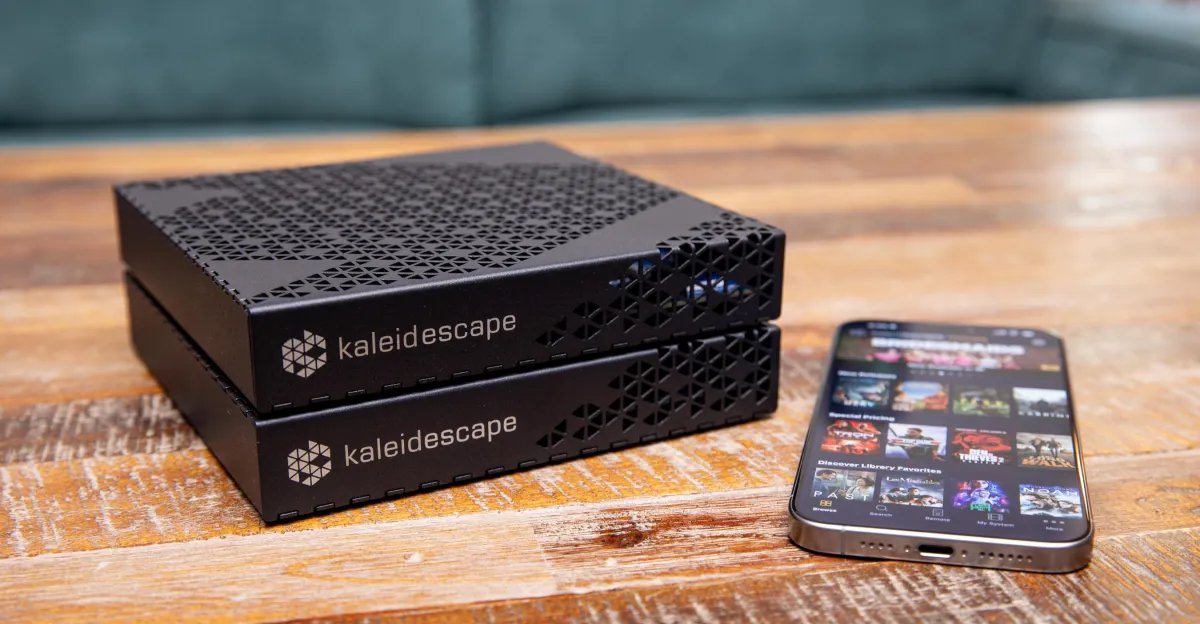
Kaleidescape gets movie files directly from the studios, encodes them at reference quality, and makes them available for download to its high-end media players and servers. They offer 4K Blu-ray quality, or better, without a disc, and the ease of streaming without the quality loss. But they’ve always been expensive — so expensive that even in my 20 years of reviewing AV systems I’ve never had the chance to use one. They’ve been the purview of pricey, custom-installed home theater spaces. But now, Kaleidescape has released its most affordable 4K movie player yet. Although, at $2,995, the term affordable is extremely relative.
The Strato E isn’t a streaming device. It has a built-in 480GB solid-state drive, which is enough to store five to six 4K movies, plus a USB port and an HDMI 2.1 port that handles both audio and video output. What makes Kaleidescape unique is that it’s not constrained by bitrate in the same way as streaming or even Blu-ray can be. 4K UHD discs have a maximum bitrate of 144Mbps, although most discs are limited to 128Mbps. That maximum is most important for movies with lots of action and detail, like Top Gun: Maverick, although even Maverick won’t be at that maximum for the entire movie.
The average throughput for a title on 4K Blu-ray is around 50Mbps. The max throughput on most streaming services is significantly lower — usually around 20Mbps — with an average of under 10Mbps. Sony Pictures Core, which has a max bitrate of 80Mbps, is an exception, but it’s only available on Sony devices. Compression can add artifacts to the signal, which can visually show as color banding or a loss of detail, especially in dark scenes, and can limit the dynamic range and spatiality of the audio.
Kaleidescape gets its movies directly from the studios and does its own encoding pass, allowing it to determine what bitrate the movie requires for each frame to be visually lossless. Movies with lots of action, detail, and color — like Maverick, Incredibles 2, and Mad Max: Fury Road — can hit a higher maximum bitrate than Blu-ray, and way higher than most streaming services.
Title | Average bitrate | Maximum bitrate | File size |
|---|---|---|---|
| Top Gun: Maverick | 71Mbps | 166Mbps | 84.6GB |
| Incredibles 2 | 66.9Mbps | 160Mbps | 69.3GB |
| Mad Max: Fury Road | 68Mbps | 152Mbps | 69.6GB |
| Godzilla vs. Kong | 67.4Mbps | 143Mbps | 64.5GB |
| Pacific Rim | 70.7Mbps | 137Mbps | 78.1GB |
| Ghostbusters (1984) | 65Mbps | 123Mbps | 58.4GB |
Against streaming, the Strato E was a big improvement in almost all situations. The spice-laden sand of Dune sparkled, and there was more devastatingly handsome detail in Oscar Isaac’s face than in the streamed version from HBO Max. When Paul first encounters Shai-Hulud in the darkness of the desert planet, the stream’s shadow detail gets crushed, and there can be banding artifacts from the compression. But because of the higher bitrate, the Kaleidescape doesn’t have those issues. Even though the scene is dark, the great worm is visible in the shadows. Compression artifacts inevitably pull me out of the story and the action, so when the image stays pristine, I’m able to stay immersed in the movie. It’s the great benefit of Kaleidescape: supporting the storytelling by faithfully presenting the material.
Fellow reviewer Dennis Burger noted in his review for SoundStage a drastic improvement in The Godfather Part II (a film he is very familiar with) over the stream from the Apple TV app, particularly in the natural grain structure. The extra bitrate likely helped the difficult task of causing the excessive film grain to look more organic. On the other hand, The Verge editor-in-chief Nilay Patel found Ghostbusters to be noisier on Kaleidescape than the version he’s watched through Sony Pictures Core on his A95L.
For an audio comparison, I set up the new Bose Lifestyle Ultra system, which has good virtualized Atmos performance in my living room, but not as good as my discrete 5.1.2 SVS and Revel system with speakers on the ceiling. On the Bose, there’s still an audible difference between Kaleidescape and HBO Max, but the quality gap isn’t as wide as with my speakers.

The Atmos and DTS:X soundtracks on the Kaleidescape are also far better than you can get on streaming. Streaming delivers lossy audio via Dolby Digital Plus, while Kaleidescape uses lossless tracks with Dolby TrueHD and DTS-HD Master Audio (same as 4K Blu-ray discs, although audio format is dependent on title). After level matching Dune on the Kaleidescape and through HBO Max, the lossless version has more presence and clarity in the height channels. The placement of sand encircling Paul as he gets his first unexpected dose of spice during the ornithopter rescue is more distinct on the Kaleidescape, instead of the more muted wash of sound I got from HBO Max.
Kaleidescape has the technical ability to surpass Blu-ray, but in practice it depends on the movie — and your home theater setup. When I compared the Kaleidescape versions of Mad Max: Fury Road and The Lord of the Rings: The Return of the King to my 4K Blu-ray versions played on a $3,300 Magnetar UDP900 MKII, with both players going through an Onkyo TX-RZ30 receiver, it was hard to see any difference. And that’s to say it looked equally excellent with both. The colors on Mad Max might have been a touch more vibrant with the Kaleidescape version, but not enough to put it far ahead of the Blu-ray. The animated film Incredibles 2 looks amazing on the Strato E, with colors that really pop onscreen and no issue with artifacts during fast motion.

As you might expect from a movie player this expensive, the better your TV and sound system are, the more you’ll notice the differences between Kaleidescape and the competition. I tested the Kaleidescape while reviewing a series of higher-end TVs, including the TCL X11L, Hisense UR9, and Sony Bravia 7 II (Nilay used his Sony Bravia A95L). You won’t see as much benefit from a lower-end TV (but also, who is going to hook up a $3,000 movie player to a $1,000 TV?).
For this review, Kaleidescape loaned Nilay and me each a Strato E and a $9,995 Mini Terra Prime server. It has an 8TB SSD, increasing storage capacity to around 125 4K movies, and bringing the total cost of my review system to $12,990.
It’s important to put that price into context. After all, in case your yacht doesn’t have room for all the Blu-rays you might want to watch at sea, the company also has a package deal that includes a player, every 4K title that’s available on the Kaleidescape store when you buy it (2,845, at last count), and two 120TB servers (enough to download all of them) for $127,995. That price doesn’t cover future releases, just what’s in the store now, so expect it to go up over time. So $2,995 for the Strato E is a steal!


You can buy or rent movies, TV shows, and concert films from the Kaleidescape store, and they can be added to or removed from your local storage as necessary to make room for other titles. 4K movies range from $5 to $40 for purchase. Regular rentals are $6 to $10, but usually $8, and if you decide to purchase them during the rental period, you’ll get a credit of half the rental price toward the purchase. Premium rentals, which are generally movies still in theaters, are up to $30 and are not eligible for the purchase discount. On gigabit internet (the minimum Kaleidescape recommends), downloading a movie took around 10 to 15 minutes. It’s not the instant gratification of streaming something from Disney Plus, Prime Video, or Netflix, but still quick enough that I could set up the living room and get some snacks ready for the family before sitting down to watch.
Unfortunately, high-fidelity video takes up a lot of storage space, and that’s the biggest downside of the Kaleidescape system. The 480GB drive on the Strato E only has enough room for around six 4K movies, so its drive fills up fast, and there’s no way to upgrade the onboard storage. (The $3,995 Strato V has a 960GB drive, both optical and coaxial digital audio out, and comes with a remote.) If you want more, you can buy one or more of Kaleidescape’s Terra servers, which start at $4,995 with an 8TB platter hard drive (also non-upgradeable) and can stream to multiple Strato players on your network. You can’t use your own server, either, and adding a server actually disables the internal storage in the Strato player.
When asked why there’s no ability to upgrade a Strato player or server’s storage, Kaleidescape director of technical marketing André Floyd said, “It is much more straightforward, once someone has filled a Terra server, to add another server to their system and simply continue to add downloads to their system. Removing drives full of content and throwing them away to make room for larger drives and then re-downloading all the original content is not a supported operation.”
As for why you can’t keep using the internal storage on the Strato player when you add a server, Floyd said it’s because each Strato system has a four-server limit, and each player’s storage, if left on, would count toward that limit. In a household with one server and three players, “When that first server becomes full, the owner needs to determine which player(s) to disable the storage for and then re-download any content that was stored there onto the new server when it is online. Having to figure that all out is not the experience we want to provide for our customers.”

The Kaleidescape Strato E really is a pleasure to use. That focus on customer experience does differentiate Kaleidescape from the most obvious, and much less expensive, alternative: a NAS full of Blu-ray rips running a service like Plex or Jellyfin. It takes time and technical know-how to set one up and rip your discs (or acquire media in other ways), and there can be playback issues with high-res files. And NAS boxes and hard drives are still expensive — granted, nowhere near as expensive as a Strato E or Kaleidescape’s add-on media servers, but storage isn’t cheap these days. It’s fair to say Kaleidescape’s target audience doesn’t mind spending money to avoid building and maintaining their own NAS setups. They just want to add a system (or, more accurately, have their custom installer add a system) that is easy to use and delivers the best quality they can get.
Back when Kaleidescape first started in the early aughts, it was a way to rip and store digital versions of your movie collection onto local servers, displayed on an attractive user interface. The DVD Copy Control Association was not happy with that and sued Kaleidescape for breach of contract in 2004. After a lengthy process that included a decision for Kaleidescape and an appeal ruling in favor of the DVD CCA, the two sides came to a joint settlement in 2014. That led to the current incarnation of Strato players and Terra servers, first available in 2015. Kaleidescape gets the movie files directly from the studios, encodes them at the highest bitrate necessary for each title at different resolutions, and makes them available on the Kaleidescape store for purchase and download. This allows Kaleidescape to keep a closed, piracy-free, and controlled system, and is surely part of the reason you have to buy Kaleidescape’s servers instead of using your own.
That industry connection is also why, while it’s still possible to scan your physical disc collection to your Kaleidescape, it only gives you a discount, not a free download. And some discounts are only a couple bucks — pricing is set by the studios and distributors. Kaleidescape will also only recognize DVDs and HD Blu-rays for discounts on the standard and 1080p formats. If a 4K disc is recognized, it would be catalogued as an HD Blu-ray and receive the corresponding credit. (Kaleidescape’s Floyd says this is “because Kaleidescape never made a player that was capable of reading 4K Blu-ray discs, so we have never added the codes for 4K discs.”) And no luck if you have your movies through Movies Anywhere (remember that?); Kaleidescape is not currently a partner with the service.

If you don’t already have an excellent sound system and TV, investing more in those pieces, with a cheaper Blu-ray player, will provide a better overall experience than adding a Kaleidescape to a midrange setup. You could get a Blu-ray player like the Panasonic DP-UB820 for $600 or Sony UBPX700U for $330 and get basically the same video and audio presentation quality. Although part of the appeal of Kaleidescape products over physical discs is the space they save. I don’t have the room in my LA apartment to have more than a fraction of my Blu-ray collection readily accessible; most of it is stored in the garage.
For AV enthusiasts, the real benefit of the Strato E is that it offers most of the convenience of a streaming service without the concessions. Video and audio quality are just flat-out better, and I can’t see streaming catching up anytime soon. The infrastructure that streaming companies would need to store and deliver the larger, higher-quality files would drive up subscription prices, and people wouldn’t be happy about that. Especially since many probably wouldn’t even notice or care about the difference.
For those of us who do, though, the Strato E delivers an incredible experience. It’s an amazing piece of AV gear and I’m happy I’ve finally had the chance to live with it for a while, but it’s such an extravagant purchase I can’t imagine getting one for myself. In the Kaleidescape’s absence I’ll need to free my Blu-ray collection from the garage and find shelf space where it can live again. The movie enthusiast who has the means to get a player that costs as much as or close to the price of their TV will love the Strata E. And every time I stream a movie on Netflix I’ll be reminded of what I’m missing.
Photography by John Higgins / The Verge