
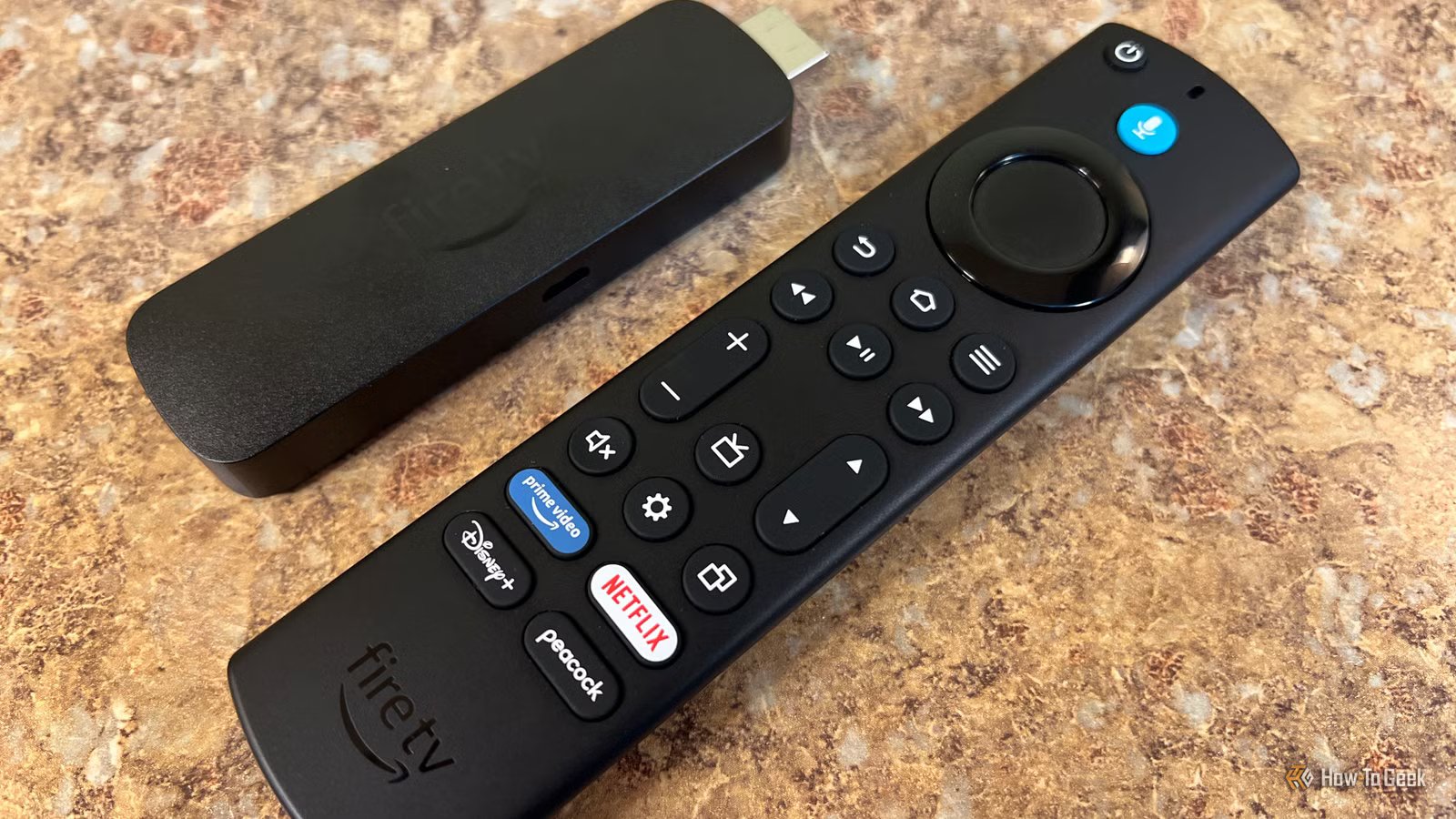
I’m mostly a Roku and media PC user, so my Fire TV sticks aren’t my primary setup. Still, I’ve got two Amazon Fire TV Stick 4K Max devices in the house, and after digging into what my Roku boxes were collecting, it felt worth taking a closer look at what Amazon was doing on its side.
What I found wasn’t shocking, but it was more than I expected. It’s not just what you watch. It’s how you use apps, what you interact with, and how that data feeds recommendations and ads. The good news is most of it is easy to dial back. These are the settings I changed to limit how much data my Fire TV sends back to Amazon without changing how I actually use it.
Your Fire TV is collecting more than just watch history
It tracks how you use apps, what you interact with, and sometimes voice data
It’s easy to assume your Fire TV is only keeping track of what you watch, but it goes quite a bit further than that. Your viewing history is part of it, but so is how you move through apps, what you click on, how long you spend watching something, and even which ads you interact with. That data feeds directly into recommendations and helps shape what shows up on your home screen.

Quiz
FAST streaming platforms and free TV
Trivia challenge
From Roku to Fire TV — find out how much you really know about free ad-supported streaming.
StreamingPlatformsDevicesChannelsHistory
What does the acronym FAST stand for in the streaming industry?
Correct! FAST stands for Free Ad-Supported Streaming Television. It describes services that let viewers watch content at no cost in exchange for sitting through advertisements, similar to traditional broadcast TV but delivered over the internet.
Not quite. FAST stands for Free Ad-Supported Streaming Television. The model mirrors old-school broadcast TV — you get free content in exchange for watching ads, all streamed over your internet connection.
Which company launched the Roku streaming player, making it one of the first dedicated streaming devices on the market?
Correct! Roku was actually spun out of Netflix in 2008. Netflix founder Reed Hastings helped fund the project but ultimately decided to keep the device independent rather than release it as an official Netflix product, which allowed Roku to become a platform for many services.
Surprisingly, Roku was originally incubated inside Netflix before being spun off as an independent company in 2008. Netflix founder Reed Hastings chose not to brand it as a Netflix device, which freed Roku to become a multi-platform streaming hub.
Amazon’s Fire TV Stick competes directly with Roku, but which operating system does Fire TV run on?
Correct! Fire TV runs Fire OS, which is Amazon’s heavily customized fork of Android. While it shares roots with Android, Fire OS is tightly integrated with Amazon’s ecosystem and does not include the Google Play Store.
The correct answer is Fire OS, Amazon’s own fork of Android. Unlike standard Android TV devices, Fire OS replaces Google’s ecosystem with Amazon’s own apps and services, which is why you won’t find the Google Play Store on a Fire TV device.
Which of the following is a FAST channel service owned and operated by Roku itself?
Correct! The Roku Channel is Roku’s own free, ad-supported streaming service. It offers a mix of movies, TV shows, and live linear channels, and it’s available not just on Roku devices but also on the web and some smart TVs.
The answer is The Roku Channel, which is Roku’s in-house FAST service. Tubi is owned by Fox, Pluto TV is owned by Paramount, and Peacock is NBCUniversal’s service. Roku built its own channel to capture ad revenue directly rather than just acting as a platform for others.
Pluto TV, one of the most popular FAST services, was acquired by which major media company in 2019?
Correct! Paramount Global (then called Viacom) acquired Pluto TV in January 2019 for approximately $340 million. The acquisition gave Viacom a major foothold in the FAST market and allowed it to stream content from its vast library of shows and movies for free.
Pluto TV was acquired by Paramount Global (formerly Viacom) in 2019 for around $340 million. The deal gave Paramount a strong presence in the free streaming space and allowed it to monetize its huge content library through ads rather than subscriptions alone.
Which FAST streaming service is owned by Fox Corporation and is known for its large library of free movies and TV shows?
Correct! Tubi is owned by Fox Corporation, which acquired it in 2020 for approximately $440 million. Tubi is one of the largest FAST platforms by content volume, boasting tens of thousands of titles available completely free with ads.
The answer is Tubi, which Fox Corporation bought in 2020 for about $440 million. Peacock belongs to NBCUniversal, IMDb TV (now Amazon Freevee) is Amazon’s service, and Xumo is owned by Comcast. Tubi remains one of the biggest free streaming libraries available.
Google’s FAST and streaming platform, built into many smart TVs and available as a dongle, is called what?
Correct! Google TV is the current name for Google’s smart TV platform, which replaced Android TV branding on newer devices. It features a personalized content aggregation layer on top of Android TV’s underlying operating system and comes built into the Chromecast with Google TV dongle.
The answer is Google TV, which replaced the Android TV branding as Google’s primary smart TV platform. While Android TV still powers the backend, Google TV adds a content discovery layer on top. The Chromecast with Google TV device is one of the most popular ways to access it.
Samsung’s built-in FAST service, pre-installed on its smart TVs, is known by what name?
Correct! Samsung TV Plus is Samsung’s free, ad-supported streaming service that comes pre-installed on its smart TVs and is also available on mobile devices. It offers hundreds of live linear channels and on-demand content without requiring a subscription or even an account.
The correct answer is Samsung TV Plus, Samsung’s own FAST platform built into its smart TVs. It offers hundreds of live channels and on-demand titles at no cost, supported by ads. Samsung’s smart TVs run the Tizen operating system, but the streaming service itself carries the Samsung TV Plus branding.
Your Score
/ 8
Thanks for playing!
There’s also device and usage data happening in the background. That includes things like app launches, crashes, and general interaction patterns. If you’re using Alexa through your Fire TV, voice commands can be recorded and stored to improve responses and personalization. In my case, our Alexa lives in a separate room and isn’t tied to the TV at all, which helps limit that piece. Still, most of the other tracking is enabled by default, and it adds up quickly if you’ve never taken a few minutes to look through the settings.
There’s also device and usage data happening in the background. That includes things like app launches, crashes, and general interaction patterns. If you’re using Alexa through your Fire TV, voice commands can be recorded and may be stored depending on your settings to improve responses and personalization. In my case, our Alexa lives in a separate room and isn’t tied to the TV at all, which helps limit that piece. Still, most of the other tracking is enabled by default, and it adds up quickly if you’ve never taken a few minutes to look through the settings.
Turn off tracking and personalized ads first
This is where most of Fire TV’s data collection is controlled
The first place I’d start is Fire TV’s built-in privacy menu, because this is where Amazon puts the big tracking switches. These settings can collect device usage data, app usage data, and advertising data. In plain English, that means your Fire TV can report how you use the device, which third-party apps you open, how long you use them, and whether your activity is used to personalize ads. Amazon says app usage data can include the open, close, and duration of use for third-party apps on Fire TV.
On my Fire TV Stick 4K Max, I don’t need any of that turned on for the device to work. I still want my apps, streaming services, and watchlists to function normally, but I don’t need Amazon building a better ad profile from how I use the thing. To turn it off, go to Settings > Preferences > Privacy Settings. From there, turn off Device Usage Data, Collect App Usage Data, and Interest-based Ads. You may see a warning that some features could be affected, but for normal streaming, this is one of the easiest privacy wins on the device.
These small settings reduce what your Fire TV surfaces
Turning off autoplay makes the home screen feel less aggressive
Not every Fire TV setting is strictly about tracking, but a few of them still make the device feel less noisy. The home screen can be especially aggressive, with featured content starting on its own as soon as you pause on the wrong tile for a second too long. Even when that isn’t a privacy issue, it still feels like the device is constantly trying to pull my attention somewhere.
To reduce the noise a bit, go to Settings > Preferences > Featured Content. From there, turn off Allow Video Autoplay and Allow Audio Autoplay. This won’t remove every ad or recommendation from the Fire TV home screen, but it does stop those big preview videos from playing automatically. For me, that makes the interface feel a lot less cluttered and a lot less like the TV is deciding what I should pay attention to next.
Where Alexa fits into this (and when it actually matters)
Voice recordings aren’t controlled on Fire TV, they live in your Alexa account

Voice data is the one area that doesn’t live inside your Fire TV settings. If you use voice commands, that data is handled through Alexa and tied to your Amazon account, not the device itself. That includes anything you say using the mic button on the remote or through an Echo device. Those requests can be stored as recordings and transcripts.
To review or limit that, you’ll need the Alexa app. Open it, go to the navigation menu in the upper left-hand corner > Alexa Privacy > Manage Your Alexa Data, and look at your voice recording settings. From there, you can delete existing recordings and set them to auto-delete going forward. If you want more control, you can also enable voice commands like “Alexa, delete what I just said,” which makes it easier to manage without digging through menus.
If you don’t own an Alexa device and never use the mic button on your Fire TV remote, this is mostly a non-issue. No voice input means nothing is being recorded in the first place. That’s why I treat this as a bonus check rather than part of the core Fire TV cleanup. It matters if you use voice features, but if you don’t, you can safely focus on the device-level tracking settings and call it a day.

- Operating System
-
FireOS
- Resolution
-
4K
- RAM/storage
-
8GB
- Connectivity
-
Wi-Fi 6, Bluetooth 5.2
- Dimensions
-
108 mm x 30 mm x 14 mm
- Integrations
-
Amazon Alexa
A step up from the Fire Stick TV Lite is the Fire Stick TV 4K. It offers a Dolby Vision upgrade and TV controls on the Alexa remote.
A few quick changes make your Fire TV feel a lot less intrusive
Most of these settings are on by default, and most people never think to check them, which is exactly why it’s worth doing once. You’re not breaking anything by turning them off, and you’re not losing access to the apps or services you actually use. You’re just cutting down on how much of your behavior gets tracked and fed back into ads and recommendations, while also reducing the constant noise and distractions on the home screen.



