
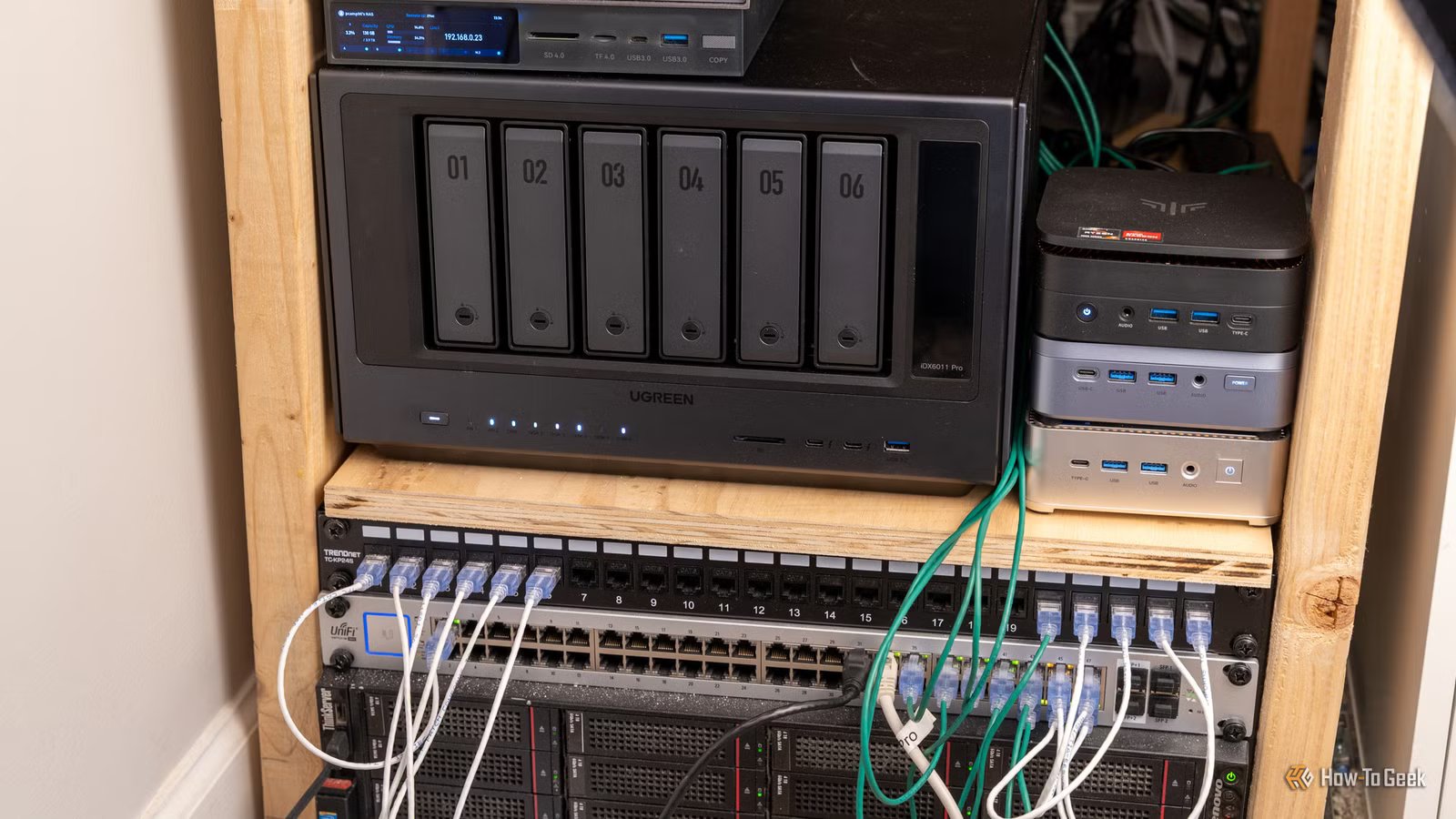
I’m a self-hosting machine, running over half a dozen servers with dozens of virtual machines and over 100TB of local storage. However, even with all that hardware and storage, I stopped self-hosting three services and pushed them back to the cloud—here’s why.
Immich
Local photo backup is nice, but those pictures are too precious to not back up off-site

I really love the idea behind Immich, and there’s a good chance that I might run it in my network again. However, I just can’t bring myself to trust it as my primary backup source for my photos.
While Immich is extremely powerful and a fantastic tool, I just have too many precious pictures to use a third-party tool for photo backup. I’m an Apple user, which means my iPhone, iPad, and MacBook all stay in sync through the native Apple Photos app, which itself stays in sync with iCloud Photos.
I know that I have to pay extra every month for storage specifically for iCloud Photos because I have so many pictures, but it’s worth it to me. Those pictures are moments I could never recreate again with my family, wife, friends, or church. If I lost them, I’d truly be devastated.

I stopped paying for Google Photos the moment I discovered this self-hosted alternative
Your massive photo library is the perfect excuse to buy a NAS
I used Google Photos for a while, but I no longer rely on Google’s photo backup service because I really don’t feel like paying for two cloud provides just for pictures. But, with a homelab like mine, that has well over 100TB of storage available, why pay for a photo backup service at all instead of just run Immich?
The issue is two-fold. First, I can’t rely on the Immich app not being killed by Apple’s background processes, which means that, at any point, it could stop backing up my photos. This might be a rare case in 2026, but it’s still something that I worry about, and something I don’t have to deal with when it comes to iCloud Photos.
The other problem comes from the fact that I would have to back up my photos off-site anyway. I simply can’t live with the thought of only keeping my photos backed up at home. If anything happened to my hardware at home, be that drive failure, flood, power surge, or anything else, I really don’t want to lose my life’s worth of photos.
So, since I need to pay for cloud storage anyway to keep my photos backed up off-site, and I want reliable backups, I’ve simply reverted to relying on iCloud Photos for my picture backups. It’s simpler for me.

- Supported Desktop Browsers
-
All
- Brand
-
Immich
- Price
-
Free
Immich is a self-hosted photo server that can replace Google Photos or iCloud Photos. With on-device machine learning and AI tagging, you’ll still be able to search for “dog” and find pictures of your furry friends. Being self-hosted, all of your data remains in your home and away from prying eyes, giving you enhanced security, too.
Nextcloud
I need my files to be always accessible, not just accessible when my homelab is online

Similarly to photos, I tried to self-host my own cloud file storage at one point. The premise was the same as my photos—I wanted to be in control of my files and also not have to pay someone else to host them. I have the storage, so why not?
It turns out, running your own cloud storage when you send files to other people all the time is a pretty big pain in the neck. Nextcloud itself is a pain to self-host, and requires a lot of maintenance in and of itself.
But, there’s the issue of off-site backups once again. The benefit of using cloud storage is I don’t have to worry about losing my files, as they live on multiple servers around the world. So, not only is redundancy not a problem, but downtime isn’t, either.
In my homelab, there are times when my servers go down for one reason or another. Just a few minutes ago, I had to pull two of my servers down so I could take a picture of them for an article. The downtime was only about 15 minutes, but it was still downtime.

I ditched cloud backups for local storage—here are 5 things that surprised me most
Why switching to local storage turned me into my own IT department
When I’m not writing articles, I run my own content creation and creative business. This means I’m constantly sending people links to files, and if those links stopped working for any reason, that could be the difference between landing a contract with a company and not.
A few weeks ago, my homelab was down for hours as I worked on fixing a problem of my own making. Outside of that, there are definitely times when my homelab goes offline randomly, be that an AT&T internet issue or just a Patrick networking issue.
Because I need reliability over all else for my cloud files, I’ve chosen to stop trying to self-host them and to simply use the cloud. I do plan to use one of my NAS systems to download the contents of my Google Drive and iCloud Drive locally so that if I ever have an issue with a cloud account locking me out, I have a backup of my files.
However, that’s just a backup and the uptime of that backup is irrelevant so long as it runs once a day, once a week, or even once a month. So I’m fine with keeping something like that local.
If I ever did need to break glass in case of emergency with my local backup, I’d push it back up to whatever cloud service provider I would be moving to as soon as possible to make sure I have multiple copies of the files in as many places as I could.
My production websites
My websites are my livelihood and can’t be reliant on my network’s uptime

I run all sorts of hardware in my homelab—hardware that’s perfect for many use cases, including hosting websites. I’ve hosted many websites in my homelab over the years, but I’ve started being very selective about what websites I actually self-host.
For instance, if a site is production-level and needs reliable uptime, it goes to the cloud. I use Cloudflare Pages, Vercel, or Squarespace for most of my hosting these days, but that’s all still cloud-based.
On the other hand, if I’m just working on a website’s design or layout, then I don’t mind keeping that local. The uptime of that isn’t crucial, and if something did happen to it, I can always restore a backup, even if that takes a while.
Part of my content creation business is also the website I run. It has an eCommerce store on it, and people download or buy files from me at all hours of the night. Similarly to my files, if the website was down because I was working on the homelab, that could be a potentially lost sale.
So, for all of my production websites, I trust the cloud more than my homelab. Not that my homelab isn’t trustworthy, it’s just not got the same uptime, and that’s okay.
I still self-host a ton of services, just not these three
My homelab’s uptime is probably 95% if I had to guess. I’ve never measured it, but that sounds about right. 95% uptime might be perfectly fine for you to self-host your own photos, files, and websites, but it’s just simply not good enough for me.
I know that the web doesn’t have 100% uptime, either. Most services claim 99.999% uptime, and deliver somewhere around 99.98% uptime typically. That type of uptime is fine with me. Why? Because if Cloudflare Pages goes down, chances are Cloudflare itself is down, which means that many other services also aren’t working.
So, I’d rather keep these important parts of my life outside my homelab where I like to tinker and break things.



