
Anyone who has tried to set up a reliable network-wide tracker blocking solution has heard of Pi-hole: a self-hostable tool running a Raspberry Pi or old computer that quietly swallows every ad or tracker request before it reaches your browser. It works beautifully and is surprisingly simple to set up, except it requires you either invest in a Raspberry Pi, which is still cheap, but not the smartest choice for a first Linux project, or have an old machine stay permanently plugged into your network.
But if you don’t want to dish out anywhere from $60 to $100 at the very least for a Raspberry Pi or permanently stick an old machine to your network, there’s a much cheaper solution. It barely costs $5, but an ESP32 board can be just as effective a home network upgrade as that expensive Raspberry Pi you might be eyeing.

I turned a $5 microcontroller into a travel router and it actually works
I fixed public Wi-Fi with a $5 chip.
This tiny board upgraded my entire network
Cutting trackers right at the network level

In order to turn your ESP32 into a DNS sinkhole, you’ll need ESP32_AdBlocker. It’s an open-source project on GitHub that lets you flash an Arduino sketch onto an ESP32 with PSRAM, point your router at it, and suddenly you’ve got a network-wide DNS sinkhole running on hardware that costs less than your morning coffee.
At its core, ESP32_AdBlocker works exactly like Pi-hole. When any device on your network wants to reach a domain, in this case a sketchy ad server or tracker embedded in some app, it first asks your DNS server to translate that domain name into an IP address. Normally, your router would forward this upstream to your ISP’s resolver, which you shouldn’t use, or a third-party DNS you might have set up.
However, with your ESP32 DNS sinkhole in the middle, any domain names that are on your blocklist get returned a 0.0.0.0—a non-routable address—and the connection dies right there. Your device never loads the ad, never phones home to the tracker, and never wastes bandwidth on the request. No matter what device you’re running.
The project uses the ESP32’s PSRAM for storing the blocklist in memory. Domain name lookups are also quite fast, typically under 50 to 100 microseconds on a standard ESP32. In case you’re wondering, that’s faster than most round-trip times to an upstream DNS server. Anything not on the blocklist gets forwarded to your upstream DNS resolver of choice, so your usual browsing is completely unaffected.

- OS
-
Windows, Linux, macOS
- Developer
-
dchristl
- Price model
-
Free, Open-source
ESP32_AdBlocker is a lightweight firmware that turns an ESP32 into a network-wide DNS ad blocker for filtering ads and trackers locally.
You barely need any hardware
A simple setup that costs almost nothing
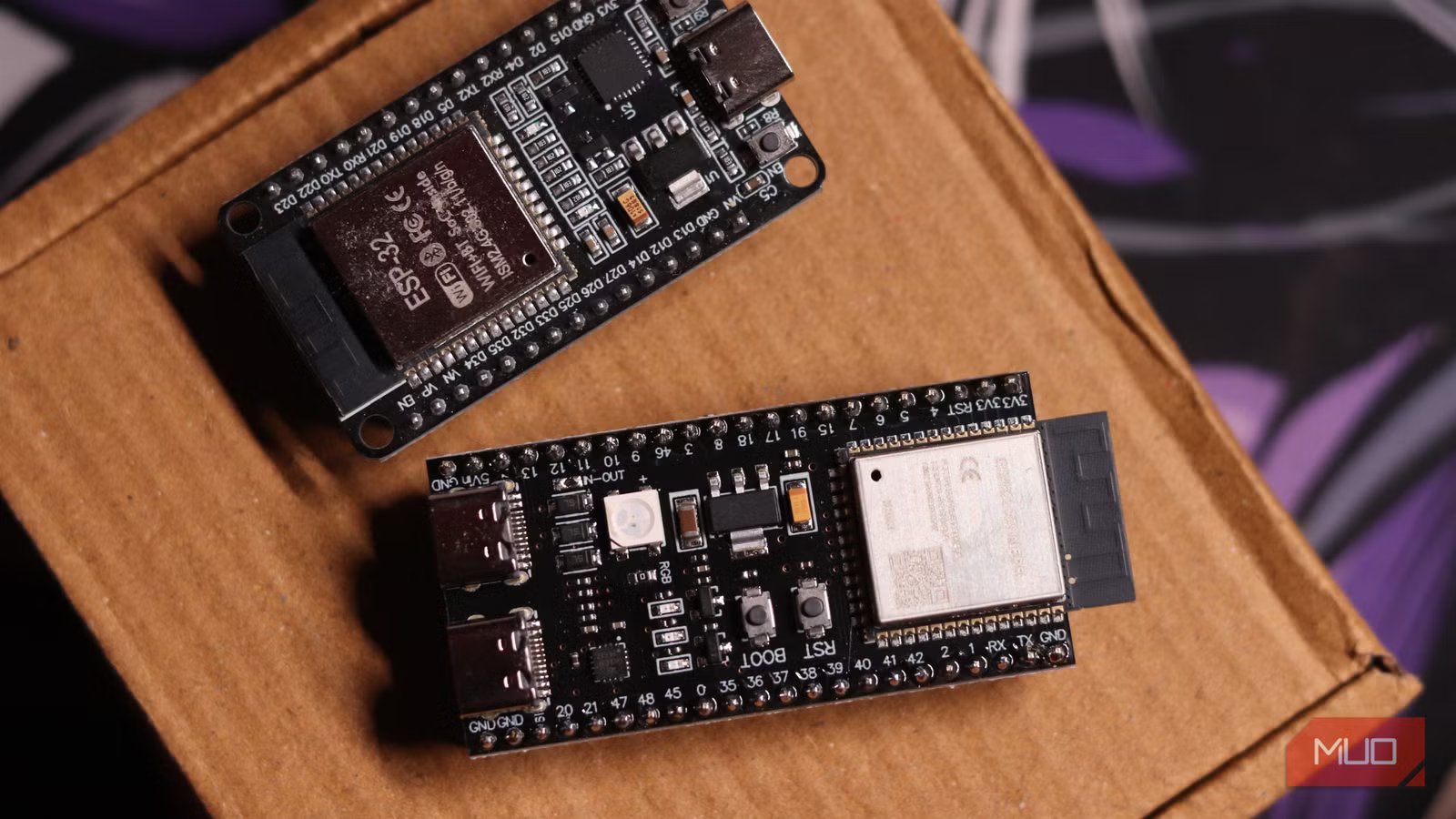
The only real requirement here is PSRAM on your ESP32, and most boards have it. Keep in mind that the ESP32 comes in two variants: one with 4 MB PSRAM and the other with 8 MB. Preferably, you want the 8 MB variant as it allows you to store the entire blocklist (such as Steven Black’s consolidated hosts file) in the board’s memory. The 4 MB variant will cut the blocklist short to fit it into the board’s smaller memory, but you should be able to get a decent number of blocked domains regardless. Something like the ESP32-S3 with 8 MB of PSRAM will get the job done perfectly and will cost anywhere between $5 to $10.
There’s no microSD card to buy, no OS to maintain, and no updates to apply because a security patch dropped. The sketch handles everything from downloading the blocklist, sorting it in memory, refreshing it automatically, and checking outgoing requests. Even if you’re buying a USB cable and a spare charger to run everything, the total cost shouldn’t be higher than $15.

- Brand
-
Espressif
- Connectivity Features
-
Wi-Fi, Bluetooth
ESP32 is a low-cost microcontroller with built-in Wi-Fi and Bluetooth, widely used for IoT projects and DIY electronics.
Setup is easier than you’d expect
From flashing firmware to running in minutes
Setup happens via the Arduino IDE, which is free and quite easy to set up. Once done, download the sketch files from the GitHub repository, open them in the IDE, select the correct partition scheme that allocates PSRAM (the readme file on the repository helps identify which one), and flash the board.
On first boot, the ESP32 starts in Wi-Fi access point mode and broadcasts a setup network. Connect to it from your phone or laptop, head to 192.168.4.1, and fill in your Wi-Fi credentials. After that, specify the URL for your block list (in HOSTS or AdBlock format) and your preferred resolver of choice, and you’re pretty much good to go. This is almost identical to the setup it takes to turn an ESP32 into a Wi-Fi repeater.
The last piece of the puzzle is to assign the board a static IP on your network—either through your router’s DHCP settings or directly on the configuration page, and then punch in that IP as your router’s default DNS server. After that, every device on your network will immediately start routing DNS queries through the ESP32. No per-device configuration required.
The web interface lets you monitor the download and sorting progress in real time. You can also toggle verbose logging to see exactly which domains are being blocked or allowed. Any future updates to the block list only download the delta, so they’re much quicker than the initial load, too. It’s also worthwhile adding some sort of power backup in case of an outage. I use a router powerbank that has an additional USB port, which ended up being the perfect solution for this.
The results are actually noticeable
Faster browsing, fewer trackers, cleaner network
After running this for a while, the most noticeable change you will feel is just how clean browsing feels across every device without installing a single extension anywhere. Telemetry from apps that don’t respect your ad-blocking settings also gets dropped. A $5 ESP32 can do a lot of useful things for your home network, and this is just the beginning.

I set up Pi-hole on my home network, and the internet feels like a completely different place
The many benefits of hosting your own DNS server and the control it gives you over your network.
It’s not a perfect Pi-hole replacement, especially if you like seeing a centralized dashboard with graphs, per-client statistics, or want DHCP server functionality. But if what you want is a dead-simple DNS sinkhole that costs almost nothing, draws virtually no power, and requires zero ongoing maintenance, the ESP32 AdBlocker projects makes a pretty compelling case for a set it and forget it solution against sketchy ads and invasive trackers.



