
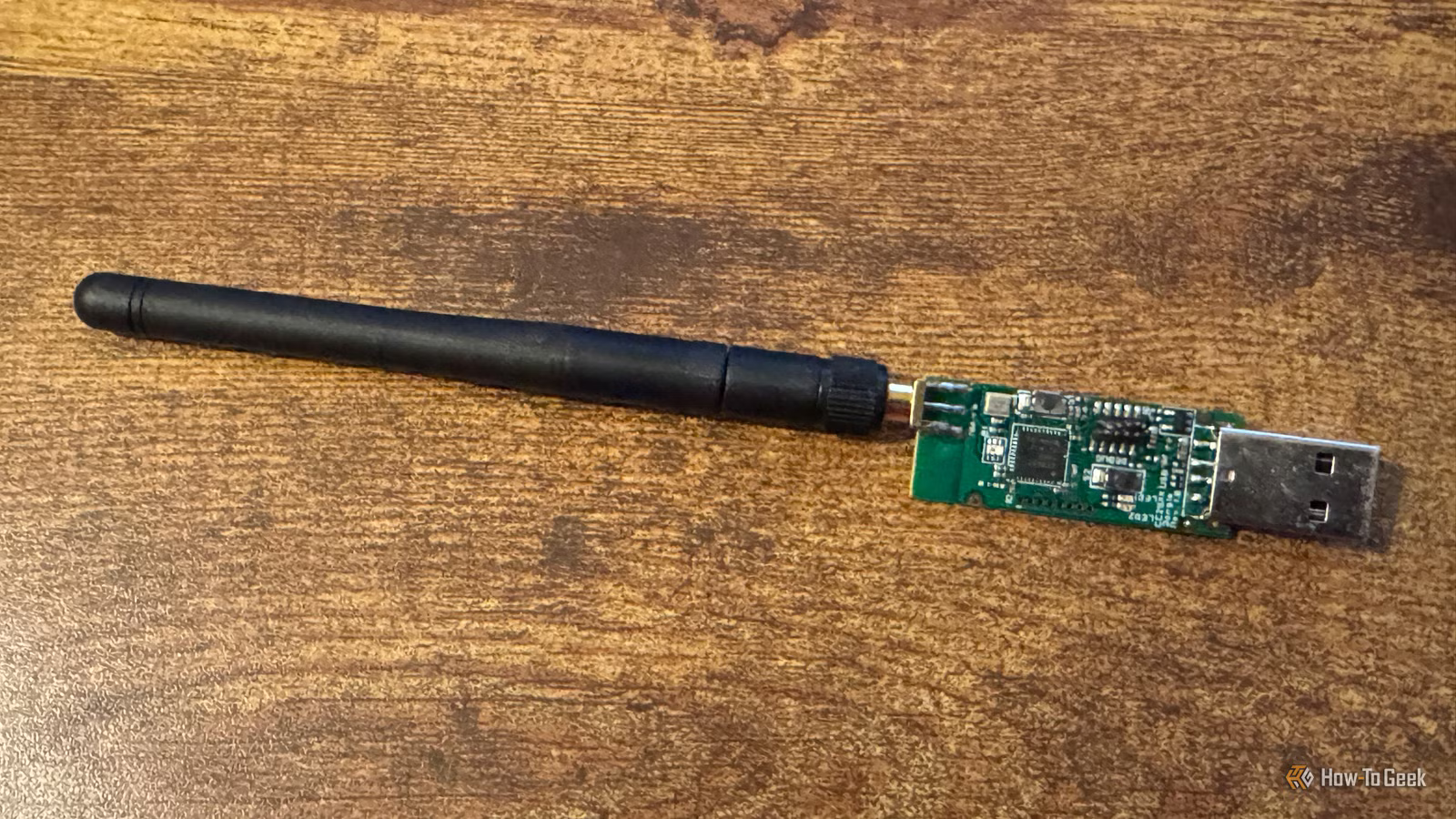
When I first started setting up my smart home, I focused on Wi-Fi devices. They were easy to set up, and I didn’t need any equipment other than the router I already owned. If I had my time over again, I’d do things very differently.
Wi-Fi smart home devices can cost you
It’s not the price tag

Wi-Fi smart home devices often seem like the best option for your smart home. You can find relatively cheap Wi-Fi smart home devices everywhere, and there’s no need to buy a dedicated hub or dongle; they work directly on your home Wi-Fi network. They’re also easy to set up.
The biggest problem isn’t the cost or ease of use of Wi-Fi devices. The problem is what happens to your network as your smart home starts to grow.
Every Wi-Fi device connects directly to your home network, and each one is constantly sending status updates and polling requests, or actively communicating with your smart home. With a few devices, this isn’t something you notice, but the more smart home devices you add, the bigger the impact.
You may start to notice degraded performance for some of the other Wi-Fi devices in your home when your network is under heavy load. It can also make your Wi-Fi network much harder to manage and troubleshoot. If you have devices a long way from your router, they can also struggle to connect reliably.
Many Wi-Fi devices also rely on cloud services for some of their features. This means that if your internet connection goes down, your Wi-Fi smart home devices may stop working. Even worse, if the cloud service they rely on stops being supported by the manufacturer, you may find that some or all of your Wi-Fi device’s smart features stop working.
Wi-Fi smart home devices can have their place. Building your entire smart home around them isn’t always the best choice.
Why Zigbee is different
Your network can get stronger with more devices
Wi-Fi isn’t the only option for smart home devices. You can buy smart home devices that use other protocols, such as Z-Wave, Bluetooth, and Thread. My personal preference is for Zigbee devices.
Zigbee is a low-power wireless communication standard that has a couple of key differences from Wi-Fi. The first is that Zigbee is a mesh network. This means that many plug-in Zigbee devices can act as routers that pass messages along to other Zigbee devices on the network.
If you have a Wi-Fi smart home device at one end of your home and your router at the other, the connection may be weak and flaky, or the device may even be unreachable. With Zigbee, as long as you have router devices in between, a device on the opposite side of your home can still communicate happily with your smart home hub. While adding more Wi-Fi devices can make your network worse, adding more plug-in Zigbee devices can actually make it better.
Another benefit is that because Zigbee uses less power than Wi-Fi, Zigbee devices can often run on battery power, while many Wi-Fi devices need to be plugged in. This makes it far easier to place Zigbee devices where you actually need them, without having to worry about where the nearest power outlet is.

- Dimensions (exterior)
-
83x83x179mm
- Weight
-
157g
The Home Assistant Connect ZBT-2 supports both Zigbee and Thread, although it must be set up for use with either one of the two protocols. It offers 4x the responsiveness of the previous model, and is designed to be easy to open for modding, with accessible pins and pads.
What a $20 Zigbee dongle gives you
There are plenty of options

The biggest blocker for many people when it comes to Zigbee devices is that they require a dedicated hub or dongle. You can connect a Wi-Fi device to your home network without any additional equipment, but to use Zigbee devices, you need a device that allows your smart home to communicate with them.
This doesn’t have to be expensive, however. You can buy a decent Zigbee dongle, such as the SONOFF Zigbee 3.0 & Thread Dongle Lite, for around $20. Larger dongles that have better range are still only around $30, and Home Assistant sells its own Zigbee and Thread dongle for around $50.

4 reasons why Zigbee is more popular than Z-Wave in the smart home
This might help you choose between the two.
Once you have a Zigbee dongle, you can pair a huge range of Zigbee devices, including smart plugs, switches, buttons, smart bulbs, and sensors. Many devices that use their own proprietary Zigbee hubs, such as Philips Hue bulbs, can be connected to your Zigbee dongle so you can ditch the Hue Bridge and control them directly.
How you connect your Zigbee devices will depend on the smart home system you’re using. With Home Assistant, there are two main options: ZHA and Zigbee2MQTT. The former is Home Assistant’s native integration and can be easier to set up, while the latter can often expose more useful data from your Zigbee devices.
A simple trick can make your Zigbee dongle better
Interference is a genuine issue

When you buy a Zigbee dongle and plug it in, you may find that your Zigbee devices are flaky or keep dropping off the network. There’s usually a simple fix that will solve those problems.
USB 3.0 ports can produce interference that prevents your dongle from communicating with your Zigbee devices cleanly, causing network issues. The solution is to add a USB extension cable between your smart home hub and your Zigbee dongle, keeping it away from the USB port. This can often fix your network problems.
Another option is to buy a PoE Zigbee dongle, such as the SMLIGHT SLZB-06. This dongle can run on Power over Ethernet, so you can use a single Ethernet cable to provide both power and network connection. You can then place your Zigbee dongle in the optimal position in your home, rather than having to plug it directly into your smart home hub.
If I could start again, I’d start with Zigbee
I have a lot of Zigbee devices in my home now, but I still have some older Wi-Fi devices from the early days. Some of these, such as my Belkin Wemo smart plug, no longer function properly due to Wemo cloud services being shut down. In hindsight, I’d have started building my smart home using Zigbee from the outset.



