
I’ve been tinkering with my smart home for well over a decade. My obsession began with trying to control my smart bulb with my voice. All these years later, I’m right back where I started.
The wake word that started my smart home obsession
Voice control was the gateway drug
Before smart speakers like Alexa brought the smart home to the masses, it was the preserve of tinkerers and geeks. It was way back in 2014 that I got my first smart home device, an off-brand smart bulb that I could control using an app on my phone. I soon realized that having to pull out my phone to interact with the light was far from ideal, and I wanted to find better ways to control it.
I discovered a community project online developed by a true legend who went by Michael C. It was software that ran on Windows (I was running it on Windows Vista) that would continually listen through a connected mic and use voice recognition to detect specific phrases. You could use these phrases to do things on Windows, such as open and read emails, open and close windows, play music, and more.
Crucially, it could also run shell commands. It was possible to use a shell command to send UDP packets to the smart bulb over my home network, which could turn the light on and off.
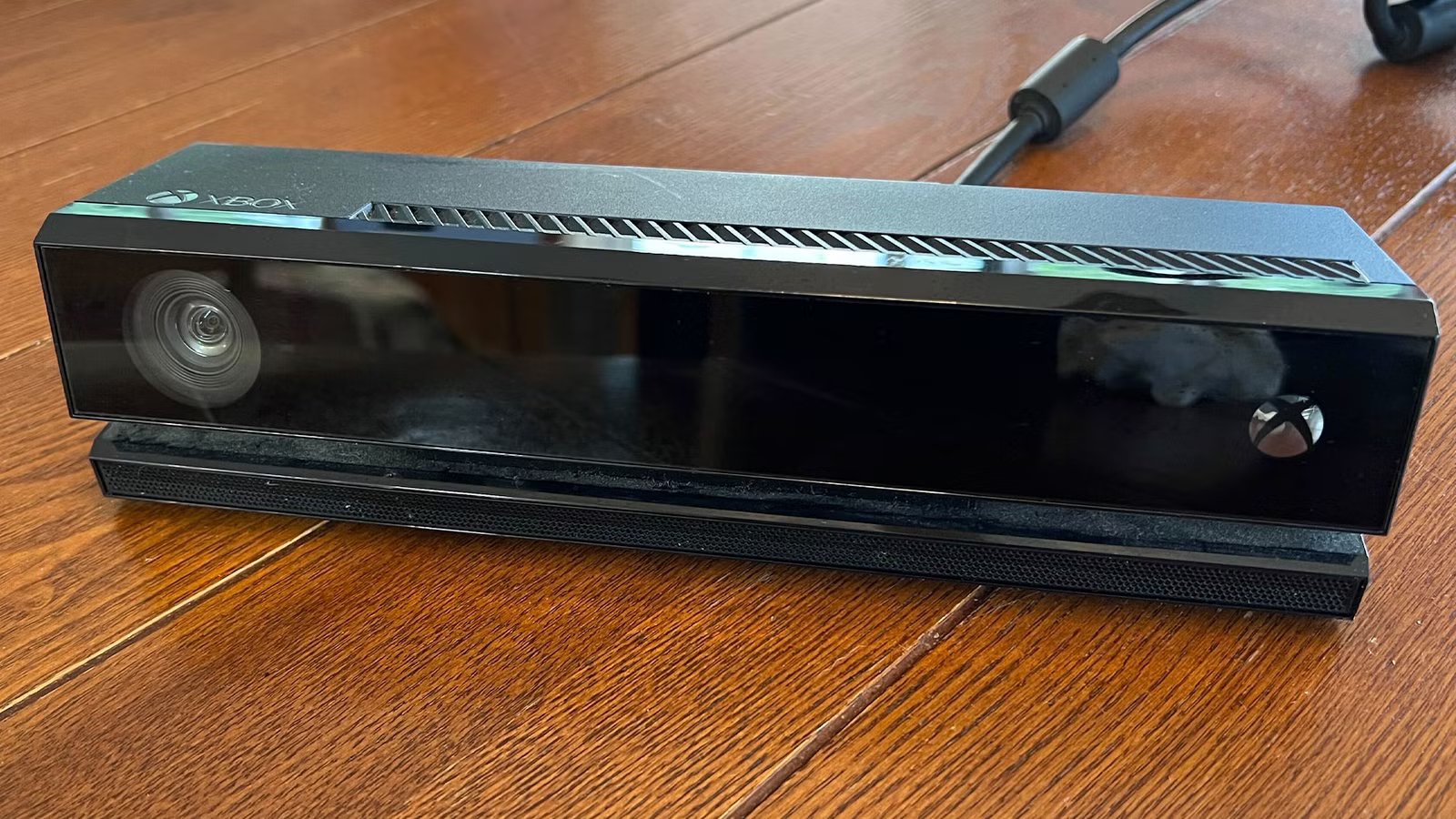
The magic came from using an Xbox Kinect sensor as the mic. This had a four-microphone array and beamforming that made it ideal for picking up my voice commands. You didn’t need to use a wake word as such, as the system was always listening, but some of the commands used the word “Jarvis” to make it feel like you were Tony Stark.
I graduated to more sophisticated systems
First openHAB, then Home Assistant

While this system was incredible, it was soon superseded. At the end of 2014, the first Amazon Echo was unveiled, and voice control went from being the domain of tinkerers to something anyone could access. By this point, I had a few more smart home devices, and I started looking for a better way to control them all.
I stumbled upon openHAB, an open-source smart home automation platform intended to let you control smart home devices regardless of their brand or smart home ecosystem. You can run it locally on relatively modest hardware and use it to control and automate your smart home.
I managed to set up some great stuff using openHAB. Using an IR blaster, I was able to control my TV using my voice, allowing me to change channels, turn up the volume, switch inputs, and more.
My initial smart home setup became quite a mess, and I wanted to rebuild it from scratch. I’d read about an alternative smart home automation platform called Home Assistant, so I decided to give that a try. I’ve been using it ever since.

- Dimensions (exterior)
-
4.41″L x 4.41″W x 1.26″H
- Weight
-
12 Ounces
Home Assistant Green is a pre-built hub directly from the Home Assistant team. It’s a plug-and-play solution that comes with everything you need to set up Home Assistant in your home without needing to install the software yourself.
For a long time, “Computer” was as close as I could get
Alexa offered limited wake word options

Having moved away from Michael C’s Jarvis project, my voice control options were more limited. I’d bought some Echo smart speakers, and could connect them to my smart home devices and control them with my voice. Doing so required a wake word, and this worked better than the always-on system that I’d been using with the Kinect sensor, which could often mishear normal conversations as commands.
The options for wake words for Alexa are still very limited, however. I used the default “Alexa” initially, and switched to “Computer” as soon as that was an option so I could pretend I was Jean-Luc Picard.
Until reasonably recently, “Computer” has been the wake word I’ve been using. Annoyingly, the wake word detection for “Computer” doesn’t seem as good as “Alexa.” I’ve learned the hard way that the best way to get a response first time is to say “Computer” in a slightly ridiculous accent, which isn’t ideal.

7 Smart Home Devices I Wouldn’t Buy Again (and What I’d Get Instead)
Not every smart home purchasing decision turns out to be that smart.
A local smart speaker has brought me full circle
After more than a decade, I’m talking to J.A.R.V.I.S. again

I finally got around to building my own local smart speaker that runs in Home Assistant using the native Assist voice assistant. It can run completely locally, and you can use predefined phrases to control your smart home, start timers, add things to your shopping list, and more. Assist comes with a few different pre-trained wake words, including “Okay Nabu,” and “Hey Mycroft.” Wouldn’t you know it, but one of the other options is “Hey Jarvis.”
I finally have my original wake word back, but this time things are very different. Using an LLM, I’ve been able to give my voice assistant the personality of an AI butler, and with a TTS service, I’ve also been able to give it a posh British voice. It really does feel like having my own version of Tony Stark’s AI assistant.
Smart home tinkering is often more about fun than utility
Automating your smart home can be very useful, but having come full circle, it reminds me that the biggest reason I mess around with this stuff is that it’s just a lot of fun. It has plenty of practical uses, but the journey is often even more fun than the destination.



