
I vibe coded a Rust frontend for FFmpeg and I’m never touching the command line again
FFmpeg is one of my favorite tools. It is a multimedia Swiss army knife that powers more media applications than I can count. However, it doesn’t include a GUI by default, which can sometimes make it a bit difficult to use.
I tried using Claude Opus to vibe-code a front end for FFmpeg with as little direction as possible. The result was better than I expected.
FFmpeg is great, but a command-line utility is tedious
I don’t want to type common commands that much

FFmpeg is an incredible tool. It can handle basically anything with media files—converting formats, compressing video, or extracting audio. Unfortunately, actually using it means typing out long strings of commands that you half-remember or copy from a forum post.
As much as I love the program, constantly rechecking the documentation for syntax examples or searching for specific example commands has gotten a bit tedious. I really want a nice user interface instead.

I Tried Using Vibe Coding to Create My Own Productivity App
Is it possible to create a working app without writing a single line of code?
I’ve also been meaning to try vibe coding something slightly more complex, so I gave it a whirl.
Vibe coding an app
I wanted a hands-off coding experience

I deliberately tried to avoid the part of the process where I sit down and carefully plan out a program and its features.
My process was simpler: I gave the AI a loose prompt with the features I wanted, let the model figure out the structure, and only stepped in when something actually broke.
I chose Rust primarily because I’ve been learning it the old-fashioned way, and it is increasingly important in the Windows ecosystem. I used Slint to get a basic Windows-style UI.
To do the actual coding, I tested two different models: Claude Opus and Claude Sonnet.
Claude Opus produced a working app
31 minutes from when I started to a working app
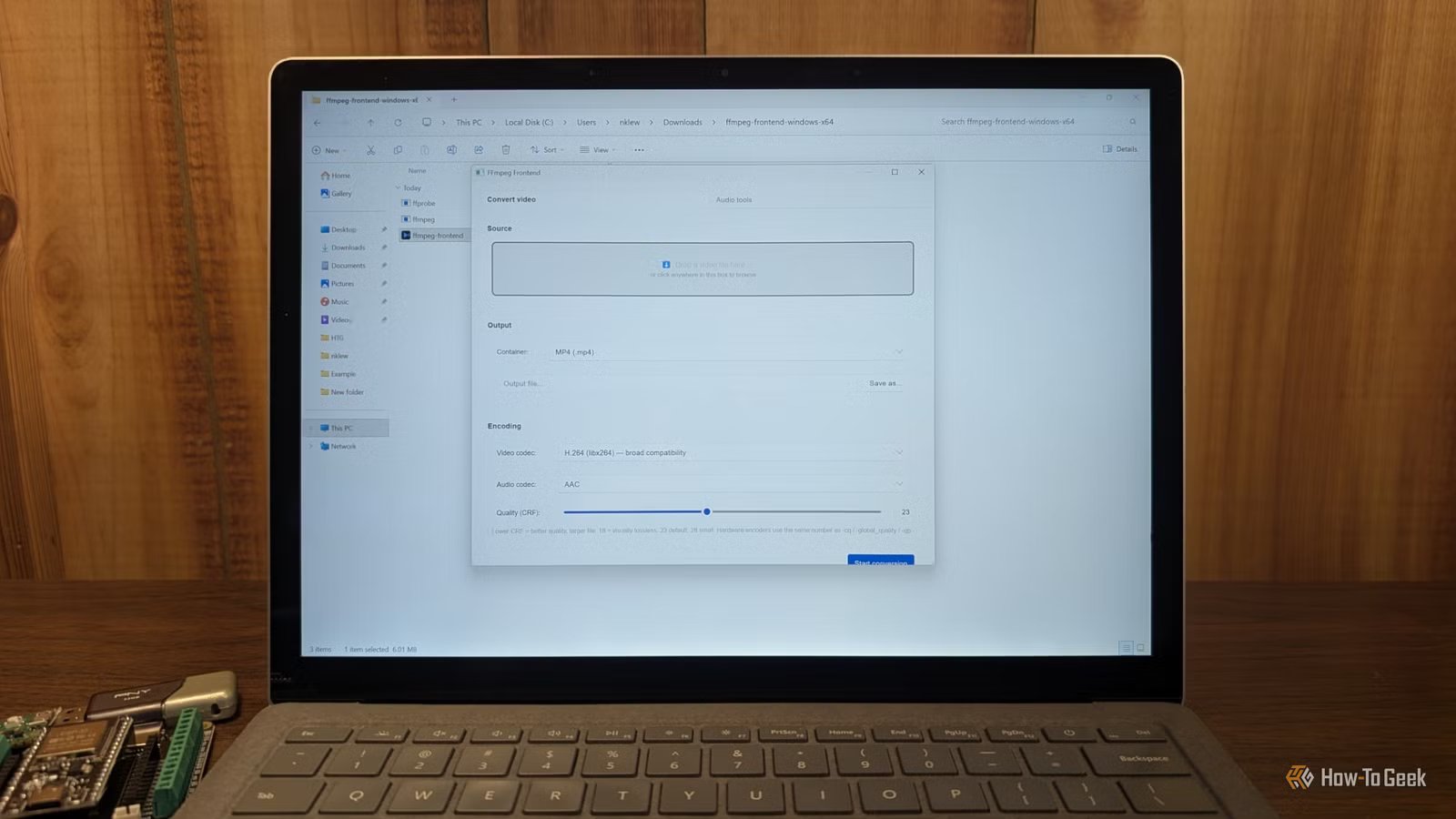
It took me exactly 31 minutes from the first prompt to a usable application. It wasn’t neatly polished, but it worked. I didn’t give Opus a full plan for the design. I told it what I wanted, then it asked a few clarifying questions before it got started.
I had it generate a basic UI layout, file selection, a drop-down menu for output formats, and just told it to use FFmpeg. After only one iteration, I had a tool that could actually take a file and convert it.
One minor adjustment required
There was only one moment where I had to intervene. The drop-down menu for selecting the output format looked right, but it wasn’t set up properly and couldn’t change the file format. I told the model to fix it and that was the end of my manual intervention.
Claude kept improving my program on its own
Once it had the program I asked for in working order, it actually started suggesting other features I might like, like drag and drop. All I had to do was tell it that I wanted it, and it thought for about 10 minutes.
The result was a little off—it expected me to drag and drop files from File Explorer directly onto the bar that used to show the media file’s path previously. It actually worked, but it is not pleasant to use. Instead, I asked it to create a small box area for me to drag files into instead. That worked perfectly.
Once I was satisfied with the way the program looked and acted, I asked it to help me compile the program for use on other PCs. It gave me line-by-line instructions and was even smart enough to suggest packing FFmpeg so that the program would work on PCs that don’t have it on the system PATH already. It even created a basic icon for the app.

Sonnet works, but requires hand-holding
The difference between Sonnet and Opus was pretty striking. Opus worked quite well with broad instructions. I gave it a vague idea, and it built something that worked. My experience with Sonnet was different.
I tried providing Sonnet with the same prompts as Opus, and it broke much more frequently. Based on the times I’ve tried it in the past, it is probably workable if you’re much more precise with it. You’ll need to provide a detailed plan ahead of time and guide it step-by-step. If you already know exactly how you want your program structured, Sonnet is fine.
If you don’t—which is the whole point of vibe coding—you’ll find that Opus is just better. On the other hand, Opus burns through usage limits much more aggressively than Sonnet.
Vibe coding is great for small, non-essential apps
I was more pleased than I expected to be with the result I got out of Claude Opus. The interface actually resembles a Windows program reasonably well considering the cosmetic choices were left up to an AI, and it was pretty usable.
Vibe coding isn’t going to replace professional software engineers today, but the results I got out of Opus were head and shoulders above the results I got vibe coding even 18 months ago. I certainly wouldn’t trust it for anything that is exposed to the internet, but I’ll probably put it to use when working on ESP32 projects going forward.