
I used Claude wrong for months, here’s the setup that actually made it useful
When I first started using Claude, I treated it like a search bar with brains. I’d type a question into a fresh chat and get annoyed when Claude didn’t understand what I wanted. It took me some time to realize that the problem wasn’t Claude, it was me. A few changes in how I used Claude made it so much more useful.
Using projects with different custom instructions
Give Claude a whole range of personas

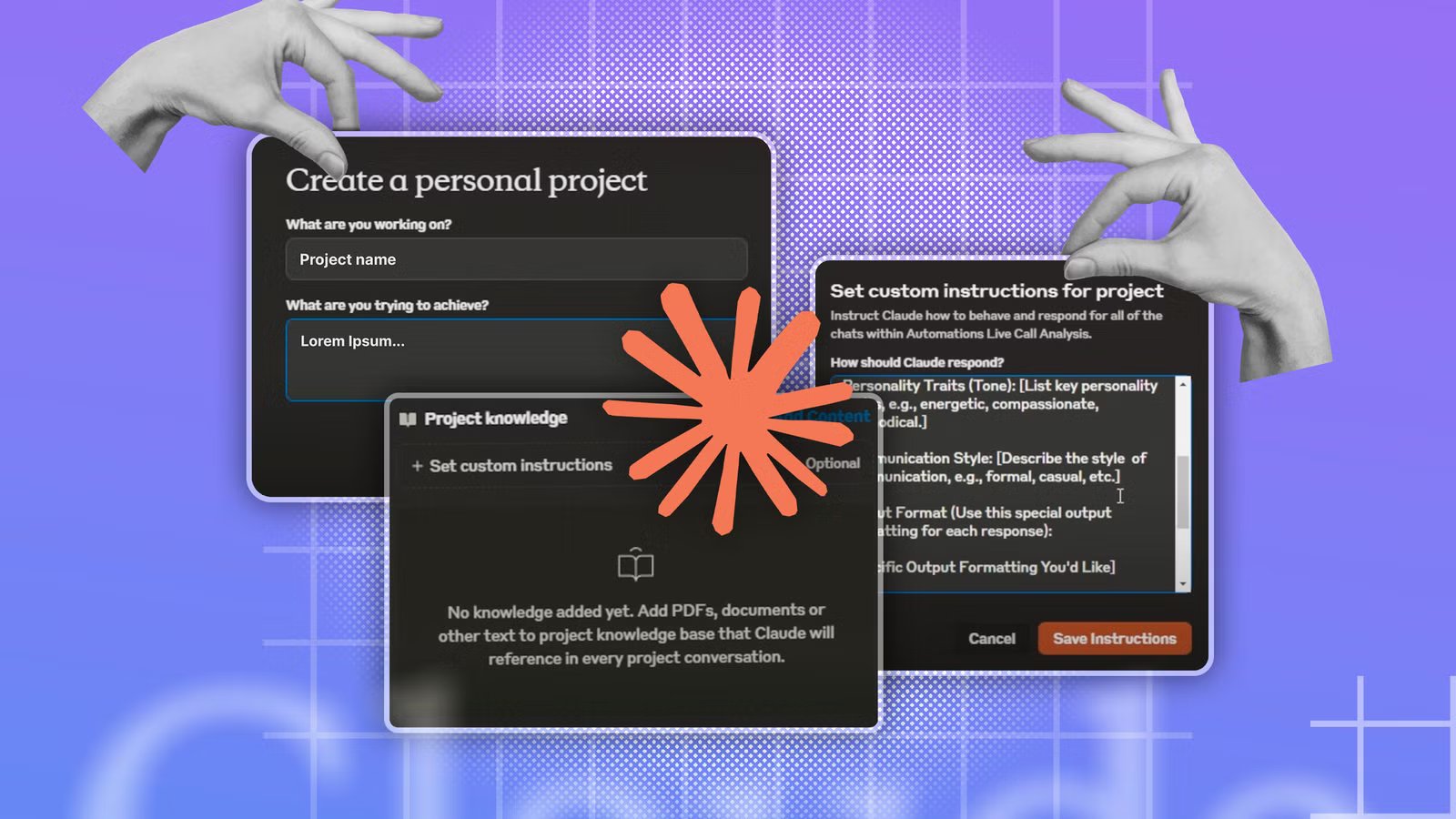
Claude is set up to be as universally useful as possible, which isn’t always ideal when you have specific tasks in mind. You can add your own set of custom instructions to Claude, but these instructions then apply to every chat, and may not always be suitable.
The simple solution is to use projects. When you create a project in Claude, you can set up custom instructions that only apply to chats within that project. These instructions will be ignored in any chats that take place outside of that project.

Quiz
Artificial intelligence basics
Trivia challenge
From chatbots to neural networks — find out how much you really know about AI.
ConceptsHistoryToolsEthicsModels
What does the term ‘machine learning’ most accurately describe?
Correct! Machine learning is a branch of AI where systems improve automatically through experience and exposure to data. Instead of being explicitly programmed for every task, these systems identify patterns and make decisions with minimal human intervention.
Not quite. Machine learning refers to systems that learn from data to improve their performance over time. It’s less about physical movement or exact mimicry and more about finding patterns in large datasets to make predictions or decisions.
Who is widely credited with coining the term ‘artificial intelligence’ in 1956?
Correct! John McCarthy coined the term ‘artificial intelligence’ at the famous Dartmouth Conference in 1956, which is considered the founding event of AI as a formal field of research. He later invented the Lisp programming language, which became a staple in early AI development.
Not quite. While Alan Turing, Marvin Minsky, and Claude Shannon were all AI pioneers, it was John McCarthy who coined the term ‘artificial intelligence’ at the Dartmouth Conference in 1956. McCarthy went on to shape the field enormously throughout his career.
What type of AI model powers popular chatbots like ChatGPT?
Correct! ChatGPT and similar chatbots are powered by large language models, or LLMs. These models are trained on enormous amounts of text data and learn to predict and generate human-like language, making them capable of conversation, writing, and reasoning tasks.
Not quite. ChatGPT is built on a large language model (LLM). While decision trees and Bayesian classifiers are real AI tools, they’re used for much simpler tasks. CNNs are great for image recognition but aren’t designed for open-ended language generation.
What is ‘overfitting’ in machine learning?
Correct! Overfitting happens when a model learns the training data too well — including its noise and quirks — and then fails to generalize to new, unseen data. It’s like a student who memorizes practice exam answers but can’t handle different questions on the real test.
Not quite. Overfitting describes a model that has learned the training data so specifically that it performs poorly on new data. It’s one of the most common challenges in machine learning and is addressed through techniques like cross-validation and regularization.
What is ‘AI bias’ most commonly referring to?
Correct! AI bias refers to systematic errors or unfair outcomes that arise when a model is trained on skewed, incomplete, or unrepresentative data. For example, facial recognition systems have been shown to perform worse on darker skin tones due to biased training datasets, raising serious ethical concerns.
Not quite. AI bias is about systematic, often harmful unfairness baked into a model’s outputs, usually due to skewed training data or flawed design choices. It’s a major ethical concern in areas like hiring algorithms, criminal justice tools, and medical diagnostics.
What does ‘GPT’ stand for in AI model names like GPT-4?
Correct! GPT stands for Generative Pre-trained Transformer. ‘Generative’ means it can create new content, ‘pre-trained’ means it was trained on a large dataset before being fine-tuned, and ‘Transformer’ refers to the neural network architecture that made modern LLMs possible.
Not quite. GPT stands for Generative Pre-trained Transformer. The Transformer architecture, introduced in a landmark 2017 paper called ‘Attention Is All You Need,’ revolutionized natural language processing and laid the groundwork for today’s powerful AI chatbots.
Which of the following best describes ‘deep learning’?
Correct! Deep learning is a subset of machine learning that uses artificial neural networks with many layers — hence ‘deep’ — to model complex patterns in data. It’s the technology behind image recognition, voice assistants, and most modern AI breakthroughs.
Not quite. Deep learning uses multi-layered neural networks inspired loosely by the human brain. The ‘depth’ refers to the number of layers in the network, and more layers generally allow the model to learn more complex and abstract representations of data.
What was the name of the IBM AI system that famously defeated chess champion Garry Kasparov in 1997?
Correct! IBM’s Deep Blue defeated world chess champion Garry Kasparov in a six-game match in 1997, marking a landmark moment in AI history. It was the first time a computer beat a reigning world chess champion under standard tournament conditions, shocking the world.
Not quite. The IBM system was called Deep Blue. Watson is IBM’s later AI known for winning Jeopardy!, while AlphaGo is Google DeepMind’s system that mastered the board game Go in 2016. HAL 9000, of course, is the fictional AI from Stanley Kubrick’s 2001: A Space Odyssey.
Your Score
/ 8
Thanks for playing!
This gives you the ability to create multiple different projects, each with its own set of instructions for completing specific types of tasks. For example, I have a proofreading project with custom instructions designed to catch typos and other errors in my writing. You can use these instructions to create different personas for different tasks.
One project might have the persona of an expert coding assistant, another might have the persona of a skeptical reviewer to find flaws in your plans, and another might have the persona of a Socratic tutor that uses leading questions to help you reach an answer yourself rather than spoon-feeding you. You can switch between personas by selecting the appropriate project.
Getting Claude to ask me what it wants to know
It can uncover context I might have missed
This is a trick that I wish I’d learned much sooner. I always used to get frustrated that Claude wasn’t doing what I wanted it to do, even though I hadn’t actually explained clearly enough what my intent was. It’s easy to assume that Claude knows what you’re trying to achieve when it really doesn’t.

I let Claude control my computer—and it filled my Amazon basket
AI does the boring stuff, just not very fast.
An effective solution is to get Claude to ask you questions, so that it can fill in the gaps in its understanding to determine exactly what you want it to do. You can achieve this by simply adding an extra line to the end of your prompt: “Before you answer, ask me anything you need to know.” You don’t need to use this for simple prompts, but for complex plans, it can really help.
The questions can often be surprising, covering things that I hadn’t considered, and making me stop to think about exactly what it is that I want to achieve, rather than just having a vague and nebulous idea. By asking these questions up front, it can save a lot of frustration further down the line.
I stopped using Claude in isolation
Using MCPs changed the game for me
For a long time, I used Claude as if it were the start and end of the workspace. I would ask it what I needed to do, and then I would perform those actions myself. For example, I could ask Claude how to build an n8n automation; it would give me the steps, and then I would build the automation manually.
As far as I knew, this was the way things worked. Claude could think, but it couldn’t do anything beyond its own app. Then I discovered Claude’s connectors.
Connectors are app integrations, many of which are built using Model Context Protocol (MCP), which allow AI applications to talk to specific external tools. MCP was developed by Anthropic but has become widely adopted. Using MCP, you can connect Claude to apps and services such as GitHub, Notion, Gmail, Google Calendar, Slack, Canva, and more.
Instead of Claude telling you what to do, using MCP, Claude can perform the actions itself. For example, I was able to connect Claude to n8n using MCP, and Claude can now build n8n automations for me without me having to do all the work myself. Instead of everything starting and ending in the chat, Claude has access to a huge variety of apps and skills that make it even more powerful.
You should think carefully when using MCP with Claude. Giving an AI chatbot access to personal information, such as emails and Slack conversations, can expose information that you may rather not share.
Giving Claude the context it needs
Don’t reinvent the wheel

MCP isn’t a one-way street. As well as writing to other apps and services, Claude can read from them, too. This is particularly useful with apps such as Notion.
I’ve started to use Notion as a source for the context that Claude may need to achieve my goals. Instead of having to rely on Claude’s memory, I’m essentially using Notion as an external brain.
For example, when I work on a Home Assistant project using Claude’s help, when I’m done, I ask Claude to add the key details of what we did to a Home Assistant Projects page in Notion. Over time, this page has accumulated details of all the projects we’ve tackled together.
Now, when I want to start another project that relies on something I’ve done before, I don’t have to waste time providing Claude with the relevant context. I just tell it to read the Home Assistant Projects page and use that as context. Claude then knows exactly what has been done before and can use that knowledge to help me reach my current goals more quickly.
Claude is only as useful as you let it be
There were plenty of mistakes that I made when first using Claude that were holding me back from achieving what I wanted to do. By reframing the way I interact with Claude, I’ve been able to get things done much more effectively, and have found myself wanting to tear my hair out far less.