
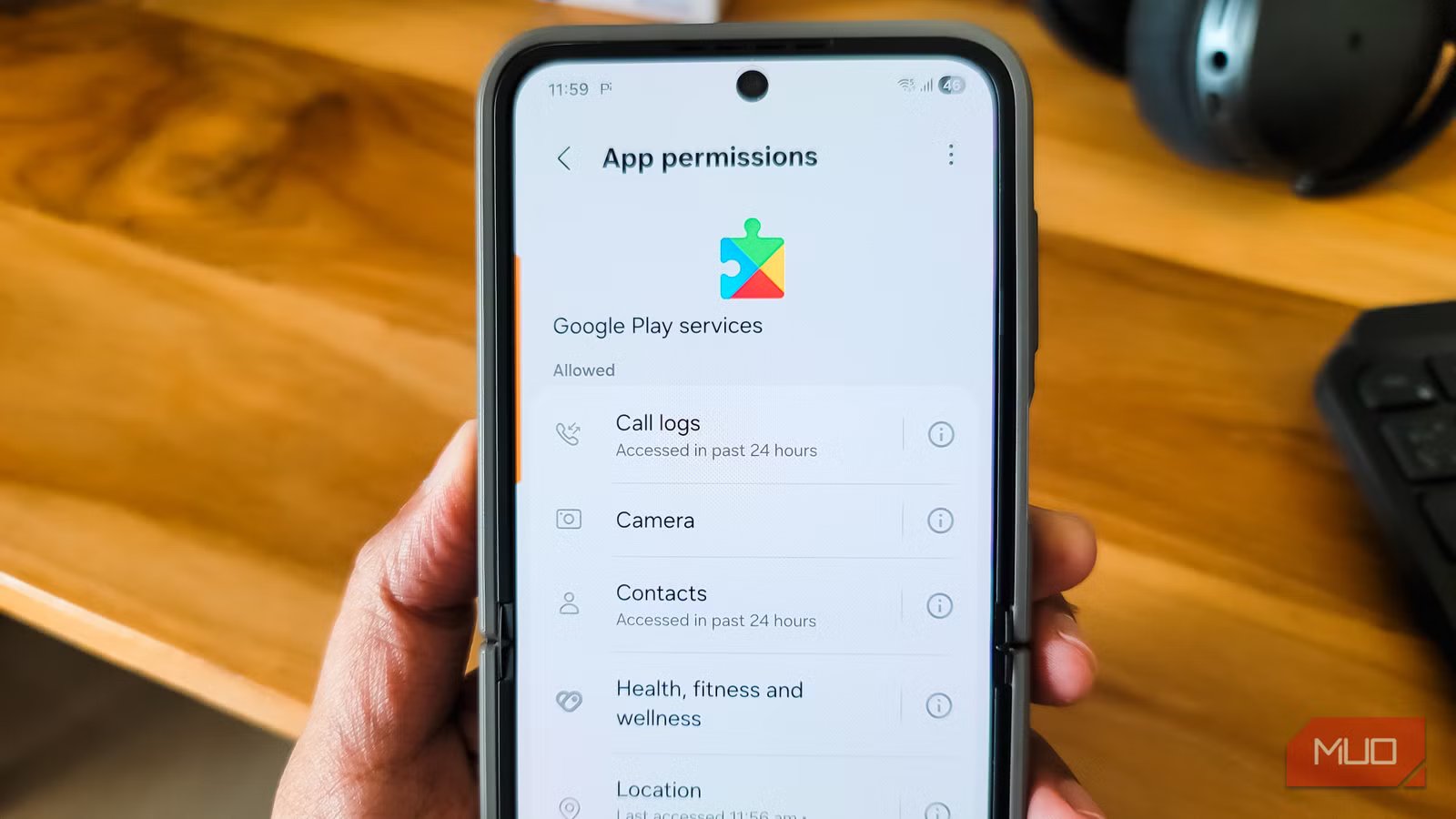
When you install any app on your Android phone, you decide what permissions to grant during the initial setup. However, when it comes to Google’s own apps, they have all the permissions enabled by default, and you have to dig through settings to revoke any of them later.
Case in point: Google Play Services, which has every permission turned on by default, but you can revoke them one by one if you want. That made me wonder, what if I revoked all the permissions for Google Play Services? Would the phone still work? The short answer is yes, the phone still works, but some vital features break along the way. If you rely on any Google apps, you’d want to be careful about which permissions you actually need to leave on for privacy and which ones you can safely turn off.
What actually broke when I cut Play Services off
Location, sign-in, and sharing took the biggest hit
The fact that you can revoke every permission for Google Play Services tells you that not all of them are vital for the phone to perform its baseline functions. So I headed to Settings > Apps > Google Play services > Permissions on my Samsung Galaxy Z Flip 6 and turned them all off, one by one.
The first thing I noticed was that WhatsApp location sharing stopped working. If you tap Send location in a chat, it triggers a “GPS is disabled” prompt, which was misleading because the GPS hardware was perfectly fine. WhatsApp uses Google’s Fused Location Provider, which lives inside Play Services. With the location permission gone, the API surface is gone too, so the app reads it as if GPS itself is off.
Google Maps ran into a similar wall. Trying to plan a route from home, Maps surfaced a prompt asking the device to use Location Accuracy. That’s Google’s crowdsourced Wi-Fi and cell positioning layer, also a Play Services feature. Maps could technically fall back to raw GPS, but it really wanted the Play Services-backed accuracy layer back before moving on.
Another essential service that I use every day that stopped working entirely was Quick Share because Nearby devices was off. What’s worth flagging, though, is that even though I was on a Samsung phone, Quick Share is now Google’s unified sharing protocol after the Nearby Share rebrand, so the underlying plumbing is still Play Services.
YouTube Music also logged me out and asked me to sign in again. Google account authentication on Android runs through Play Services, so any app that revalidates on launch gets bounced to the sign-in screen. The same can affect banking apps that auto-detect your phone number for verification, since those flows often depend on SMS read access through Play Services.

I had no idea how much Google Maps was tracking me until I found these settings
Create a boundary and protect your data
The permissions list itself tells you how much Play Services touches
A quick look reveals it has its hands in everything

If you want a clearer picture of what Play Services is actually doing on your phone, the permissions screen is a surprisingly good map. Tap the small i icon next to any permission, and you’ll see a short note about what Play Services uses it for. It doesn’t list every single use case, but it gives you a fair idea of what’s running in the background.
The list itself explains a lot. On my phone, Play Services had access to Call logs, Camera, Contacts, Health/fitness/wellness, Location, Microphone, Music and audio, Nearby devices, Notifications, Phone, Photos and videos, Physical activity, and SMS. That’s basically every sensitive permission Android offers, all granted to a single system service.
What’s also worth noting is the activity. Most permissions had been accessed in the last 24 hours, which means I am more likely to run into a few Play Service prompts every day, if not every hour. Among the permissions, location was tagged Allowed all the time, with the most recent access just minutes earlier. Similarly, Music and audio had been accessed within the past seven days. While there’s nothing spooky about it, it’s a reminder that Play Services isn’t a passive component sitting in the background. It’s actively reading from these permissions all day. And this is just the standard permissions screen. There’s also a second permissions menu on Android that most people never check, and Play Services has hooks there too.
Most of the phone still works
Calls, camera, and Samsung’s own services kept going

The good news is that Android is more than just Google Play Services. Even with every Play Services permission revoked, the phone kept working for everything that didn’t route through Google’s API layer.
Phone calls, SMS, and the camera app worked exactly as before, since those rely on the carrier and the hardware, not on Play Services. The browser and general web access were fine. Samsung’s own stack also kept going, including Samsung Push Service, Samsung Cloud sync, SmartThings, Bixby routines, and Samsung Internet. That’s the One UI angle paying off, since Samsung backfills some of what Play Services would otherwise handle. I suppose a Samsung phone is a more forgiving host for this kind of experiment than a stock Android device would be.
That said, the pattern across what broke is consistent. Every failure traced back to a Play Services subsystem rather than the app itself. WhatsApp location, Maps, and ride-share style features lean on the Fused Location Provider. Sign-in flows for YouTube Music, Gmail, and Drive depend on the account framework. Quick Share, Cast, and Find My Device hang off the Nearby and connectivity services. The hardware works fine in every case. It’s the API surface that’s gone.
Google Play Services is important, but your phone still works without it
The whole experience is a useful reminder that most of what we consider Android on a phone with Google services isn’t really Android in the AOSP sense. It’s a thick layer of Google APIs sitting on top, and apps quietly call into that layer all day for things like location, sign-in, and device-to-device sharing. Revoking these permissions is a real way to shrink your privacy footprint, and it surfaces what was happening invisibly before. If you want to take this further, you could even look at de-Googling your Android phone with privacy-focused alternatives.
That said, the trade-offs are real. Location sharing in your messaging apps will fail, navigation will nag you to turn things back on, and any service tied to your Google account will likely log you out. For me, this was an experiment rather than a permanent setup. Revoking individual permissions selectively, rather than all of them at once, is probably the more practical path for most people.



