
A $30 USB drive just saved me from a $500 PC repair bill
When it comes to PCs, few things can ruin your day as much as when things just don’t work. PC-related problems lead to hours of troubleshooting, frantic googling, and frustrated muttering under your breath. I’ve been there.
I can’t promise you that you’ll never have to troubleshoot any part of your PC ever again, but there’s one thing I’ve found that’s super helpful when things go wrong, and it’ll cost you a few dollars and a little bit of time. All you need is a USB flash drive, and you may find that setting that thing up saves you hundreds of dollars in repairs.
Your USB rescue kit should start with one multiboot flash drive
This little thing is worth its weight in gold (and then some)
A USB rescue drive is basically a tiny emergency toolbox for your PC, and I’ve gotten a lot of use out of mine over the years. Instead of relying on the operating system that might currently be broken, you boot from the flash drive and use the tools stores on it to repair your OS. It won’t solve every possible disaster, but it’s a great starting point.
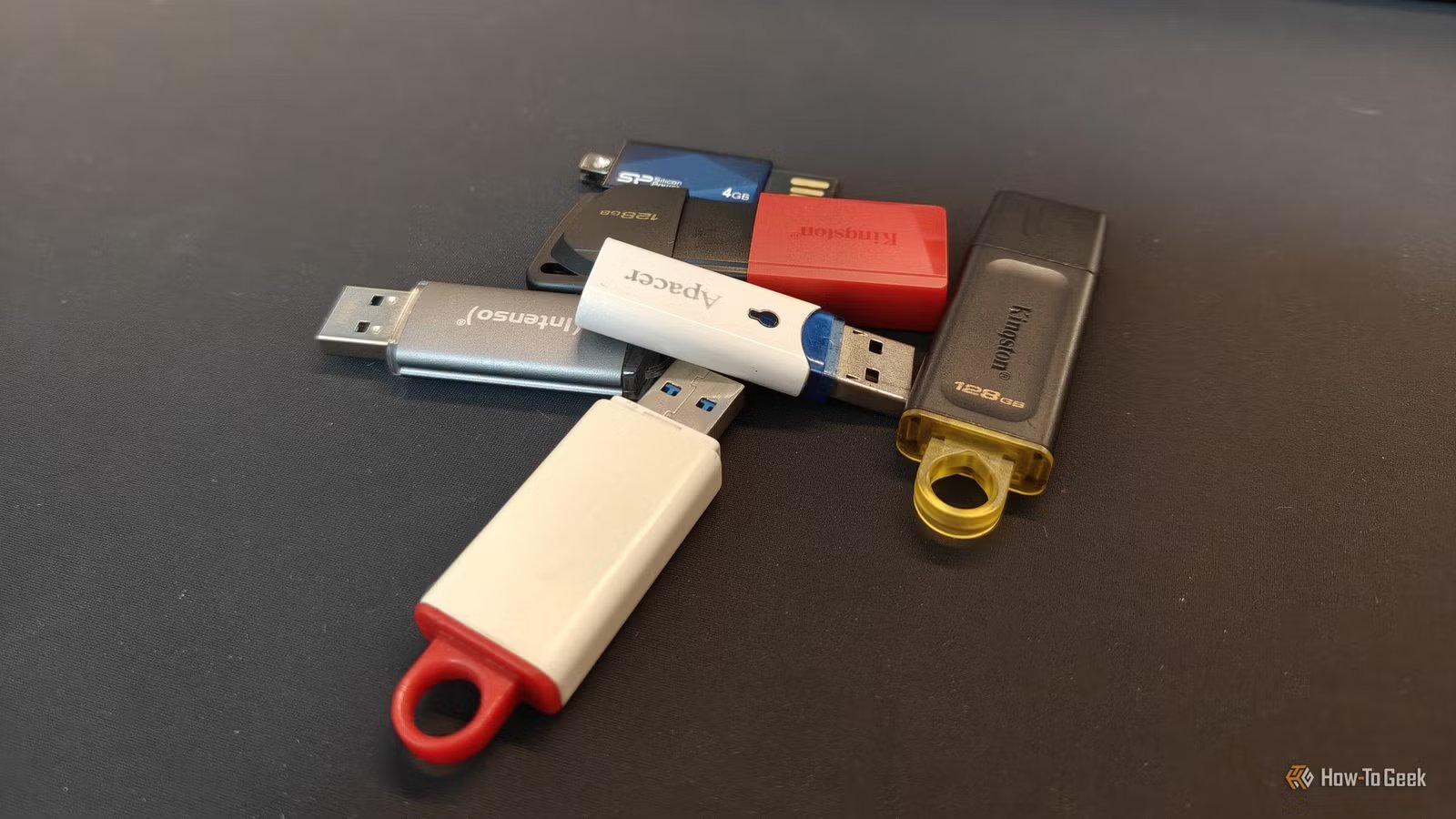
The easiest place to get started with making yours is to get a decent USB flash drive, ideally one that has both USB-A and USB-C connectors. That small detail makes it that much more useful, because you can plug it into all sorts of devices.
 Quiz
QuizQuirky USB drives and weird use cases
Trivia challenge
From recovery sticks to sushi-shaped flash drives — how much do you really know about the wild world of USB drives?
RecoveryDesignSecurityStorageFun Facts
What is the primary purpose of a Windows recovery USB drive?
Correct! A Windows recovery USB lets you access repair tools, reset the OS, or perform a clean reinstall even when your PC refuses to boot normally. It’s one of the most practical things you can create with a spare flash drive.
Not quite. A recovery USB is specifically designed to help you fix or reinstall Windows when your system is in trouble. Microsoft’s built-in Recovery Drive tool makes creating one surprisingly straightforward.
Which company became famous in the late 2000s for producing USB drives shaped like sushi, animals, and other novelty objects?
Correct! Mimoco made a splash with its MIMOBOT line of designer USB drives, featuring characters, pop culture figures, and quirky shapes. They turned a mundane storage device into a collectible art piece.
Not quite. Mimoco was the brand behind the beloved MIMOBOT designer USB drives. While Kingston and SanDisk dominated performance storage, Mimoco carved out a niche in novelty and collectible flash drives.
What dangerous capability made the BadUSB exploit, revealed in 2014, so alarming to cybersecurity experts?
Correct! BadUSB exploited the fact that USB firmware can be reprogrammed to make a drive pretend to be a keyboard or network adapter, letting it silently execute malicious commands. This was terrifying because standard antivirus tools couldn’t detect it.
Not quite. BadUSB worked by reprogramming the USB controller firmware itself, allowing the drive to masquerade as a trusted device like a keyboard and inject malicious commands. It exposed a deep vulnerability in how operating systems trust USB devices.
What is a “Dead drop” in the context of USB drives used as an art and communication project?
Correct! Dead Drops is an art project started by Aram Bartholl in 2010, where USB drives are cemented into walls, curbs, and buildings in public spaces. Anyone can plug in a laptop and anonymously share or download files from strangers.
Not quite. Dead Drops are USB drives physically embedded into public surfaces like walls and curbs. The project, launched by artist Aram Bartholl in New York City, reimagines file sharing as a tactile, offline, and anonymous urban experience.
What was the approximate storage capacity of the very first commercially available USB flash drive, the Trek ThumbDrive, released in 2000?
Correct! The Trek ThumbDrive launched with just 8 MB of storage, which was still enough to replace several floppy disks at the time. It seems laughably small today, but it kicked off a revolution in portable storage.
Not quite. The original Trek ThumbDrive held just 8 MB — modest even by early 2000s standards, but it was a massive leap over carrying a stack of floppy disks. Flash drive capacity has since grown by a factor of over 250,000.
Which popular bootable USB tool is widely used by IT professionals to run live Linux environments and rescue unbootable systems?
Correct! Ventoy is beloved by IT pros because it lets you copy multiple ISO files onto a single USB drive and boot any of them from a menu — no reformatting needed each time. It’s incredibly efficient for carrying a rescue toolkit.
Not quite. While Rufus and balenaEtcher are great for flashing a single ISO, Ventoy is the standout tool for running multiple bootable environments from one drive. It’s a staple in any serious IT technician’s toolkit.
What is a “USB Rubber Ducky” primarily used for in cybersecurity?
Correct! The USB Rubber Ducky by Hak5 looks like an ordinary flash drive but registers as a keyboard the moment it’s plugged in, then fires off scripted keystrokes in seconds. Penetration testers use it to demonstrate just how fast a physical attack can compromise a system.
Not quite. The USB Rubber Ducky impersonates a keyboard and executes pre-written scripts at superhuman typing speeds. It’s a favorite tool among ethical hackers to show clients how quickly an unattended machine can be compromised.
What was unusual about the DataTraveler Locker+ G3, a USB drive made by Kingston?
Correct! Kingston’s DataTraveler Locker+ G3 used hardware-based AES 256-bit encryption and would automatically wipe all data after 10 consecutive wrong password entries. It’s the kind of brutal security feature that’s perfect for sensitive corporate data — and terrifying if you forget your password.
Not quite. The DataTraveler Locker+ G3 featured automatic data destruction after 10 failed login attempts, backed by hardware AES 256-bit encryption. It’s a stark reminder that some USB drives are engineered to be more secure than most people’s bank accounts.
Your Score
/ 8
Thanks for playing!
The goal here is not to just make a backup Windows (or Linux) installer and throw it in a drawer, even though that’s still better than nothing. You’ll pack this tiny USB full of useful stuff, and it’ll be a multiboot flash drive, which lets you keep several recovery tools on one USB stick. Instead of having one place for Windows, another for Linux, and another for diagnostics, you’ll store it all on one flash drive.
This is where tools like Ventoy come in handy. Once the USB drive is set up, you can copy ISO files onto it almost like regular files, then choose which one to boot from when the PC starts. That makes it much easier to keep all the files you need in one place, from Windows recovery media to a live Linux environment or drivers.
Don’t go too tiny for a drive of this type. Although all storage devices are expensive right now, aim for 32GB to 64GB to be safe.
This gets you to a base level of “okay”

The first thing I’d put on this flash drive is recovery media for the operating system you actually use. For many people, that means a Windows 11 installer, because it’s not just useful for reinstalling Windows from scratch. You can also boot from it to access repair tools, try Startup Repair, uninstall a bad update, use System Restore if it’s available, or run recovery mode.
This is also where that multiboot thing I mentioned above comes in really handy. If you regularly deal with more than one PC, you can keep different operating system ISOs on the same drive, such as Windows 11, a Linux distro, or whatever else you might need. Just make sure you download these from official sources, label them clearly, and refresh them every so often to have the latest patches.
Another thing: drivers. Get all the drivers you might need to get your PC up and running after a clean OS install, including chipset, GPU, and more.
A live Linux USB is the file-rescue part of the kit
When Windows is the problem, Windows won’t help you

A live Linux USB is another thing that’s good to keep on this drive, even if you have no interest in switching to Linux. It lets you boot into a temporary desktop environment without installing anything over your existing OS, which means you can poke around your PC without depending on the Windows install that might currently be, let’s just say, worse for wear.
This is especially useful when Windows refuses to boot, but the drive itself remains readable. In that case, you may be able to use the live Linux environment to copy important files, photos, documents, and so on to an external drive before you roll up your sleeves and get a little more drastic.
Even the best kit can’t fix everything
But it’s still super useful

The flash drive is the heart of this setup, but a few tiny extras can make it even more useful. I like to keep a USB-A to USB-C adapter, a USB to Ethernet adapter, and a small USB hub as part of this so-called rescue setup.But even all of these backup tools can’t fix everything. If the problem is with the hardware rather than the software, you might have to troubleshoot until you find the cause. But eight times out of ten, this tiny flash drive might just be enough.
It’s the cheapest way to get some peace of mind in a pinch
Buying one of these little drives and turning it into your recovery drive won’t fix all the problems that can befall your PC, but it can definitely save you time and money. It’s a good way to separate the fixable from the not-so-fixable, and that helps a bunch.
Remember that you may not even need to buy anything for this: you can repurpose an old SATA SSD, too.