
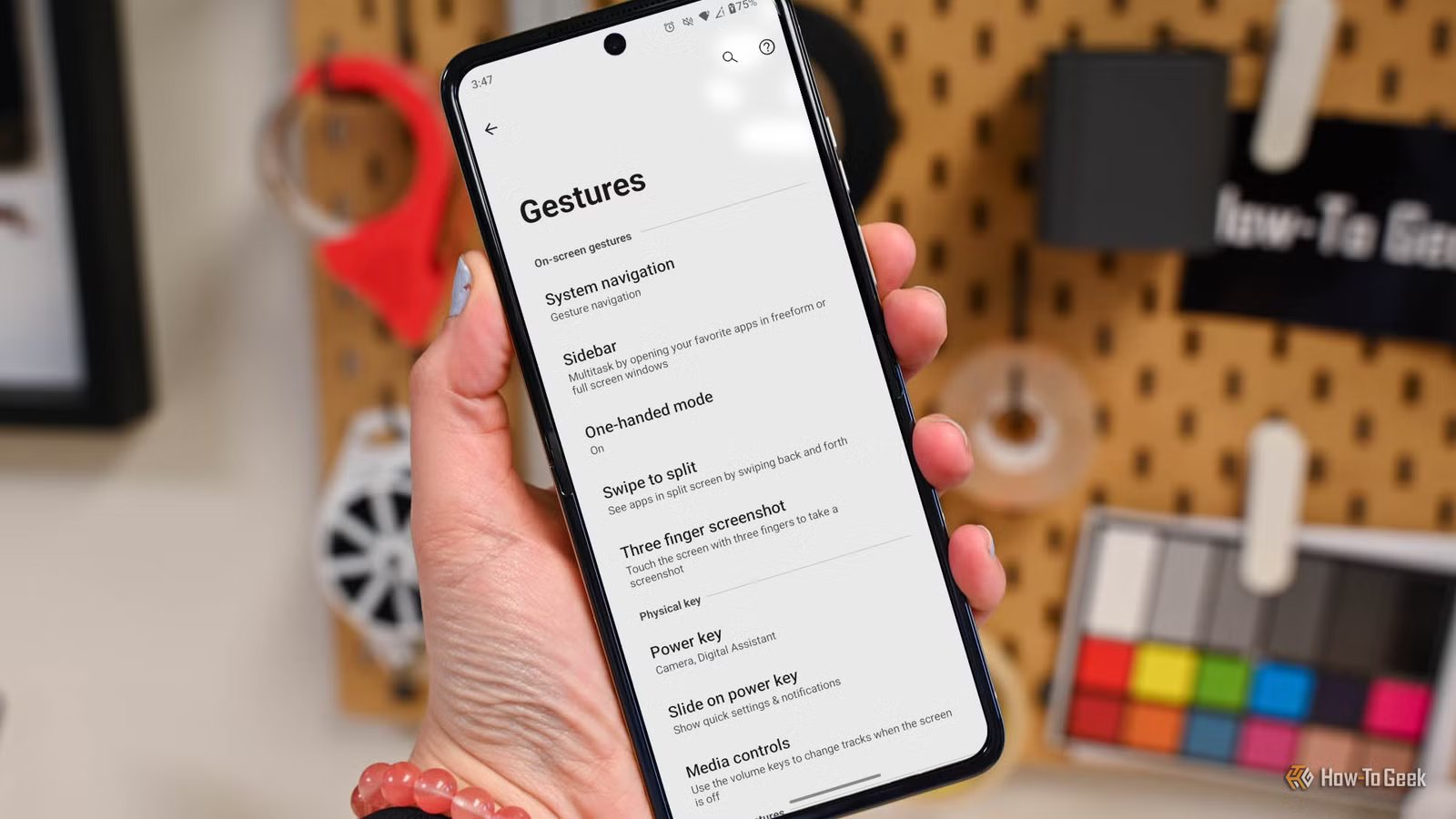
People think of Motorola phones as having clean, minimal software similar to Google’s, but there’s more than meets the eye. You’ll find a surprising number of gestures exclusive to Motorola phones, and they’re very useful.
All of the gestures mentioned below can be enabled and configured by going to Settings > Gestures on your Motorola phone. The exact gestures may vary by model.
Slide on power key
Open the notifications by sliding your finger on the power key
Android phones offer a few different ways to open the notifications and Quick Settings without having to reach the top of the screen. Motorola also has a couple of different methods for this, but one I haven’t seen on other phones is called “Slide on power key.”
When enabled, you can slide your finger—or, more naturally, your thumb—down on the power button to expand the notifications. Slide down again, and the Quick Settings expand, just like when you swipe down on the screen. Slide up on the button to dismiss the shade.
Swipe to split
Slice the screen in half for split-screen mode
The ability to use two apps on the screen at once is something that still, surprisingly, separates Android and iPhone. However, actually using this feature isn’t always smooth. Motorola offers a really cool gesture that makes Split Screen mode feel natural.
Normally, to use split screen, you have to open the Recent Apps screen, tap the app icon at the top, and select “Split screen” from the menu. The “Swipe to split” gesture allows you to skip all that and simply swipe your finger horizontally back and forth across the screen to activate split screen mode.

7 Android features that iPhones still don’t have in 2026
The iPhone may have more in common with Android than ever—the reverse is true, too. However, iOS still lacks several basic features that have been a core part of Android for years. While some of these may never make the jump, a few could be coming sooner than you think.
Control your media when the screen is off
Typically, to skip to the next or previous song, you’d wake up the screen and tap forward or back from the media player notification. Motorola includes a gesture that allows you to do that without even pulling the phone from your pocket. With the “Media controls” gesture toggled on, you can go to the next or previous track by holding the volume up or down buttons while the screen is off.
Quick Capture
Twist your wrist and snap a photo
All the way back in 2013, the Moto X launched with a gesture called “Quick Capture.” People immediately loved it, and several third-party apps tried to bring it to more phones. 13 years later, it’s still cool, and it’s still a Motorola exclusive.
The idea is that you can immediately launch the camera by simply holding the phone and twisting your wrist twice. It works when the screen is on or off, and you can decide which camera opens with the gesture (or set it to “Auto” and let your screen orientation decide).
Fast Flashlight
Chop, chop, let there be light
A year after the first Moto X debuted with Quick Capture, the company followed it up with another nifty gesture. Originally called “Chop twice for Flashlight,” the re-named “Fast Flashlight” gesture does exactly that—opens the flashlight when you chop twice.
What’s a chop? Hold the phone in your hand and do a quick double karate chop motion. This gesture works to turn on and turn off the flashlight. It honestly might be the best flashlight feature on any smartphone. Thankfully, we don’t need shady flashlight apps anymore.
Gestures that make life easier
The whole idea of gestures is to make our devices easier to use. While not all gestures may feel that way (especially if you don’t like gesture navigation), Motorola’s suite of tricks geneuinely make phones feel better. Thankfully, Android in general has several other gestures that are pretty nice, too.

Motorola used to make the best phones—what happened?
Android has seen countless brands come and go over the years, but one name that has remained a constant presence is Motorola. The company has been around since the early days of Android (and mobile phones in general), and it’s still here today despite multiple shifts in ownership and strategy over the years.



