
When most people think about Amazon Prime, they think about free next-day delivery, streaming TV, exclusive deals, or maybe Prime Day discounts.
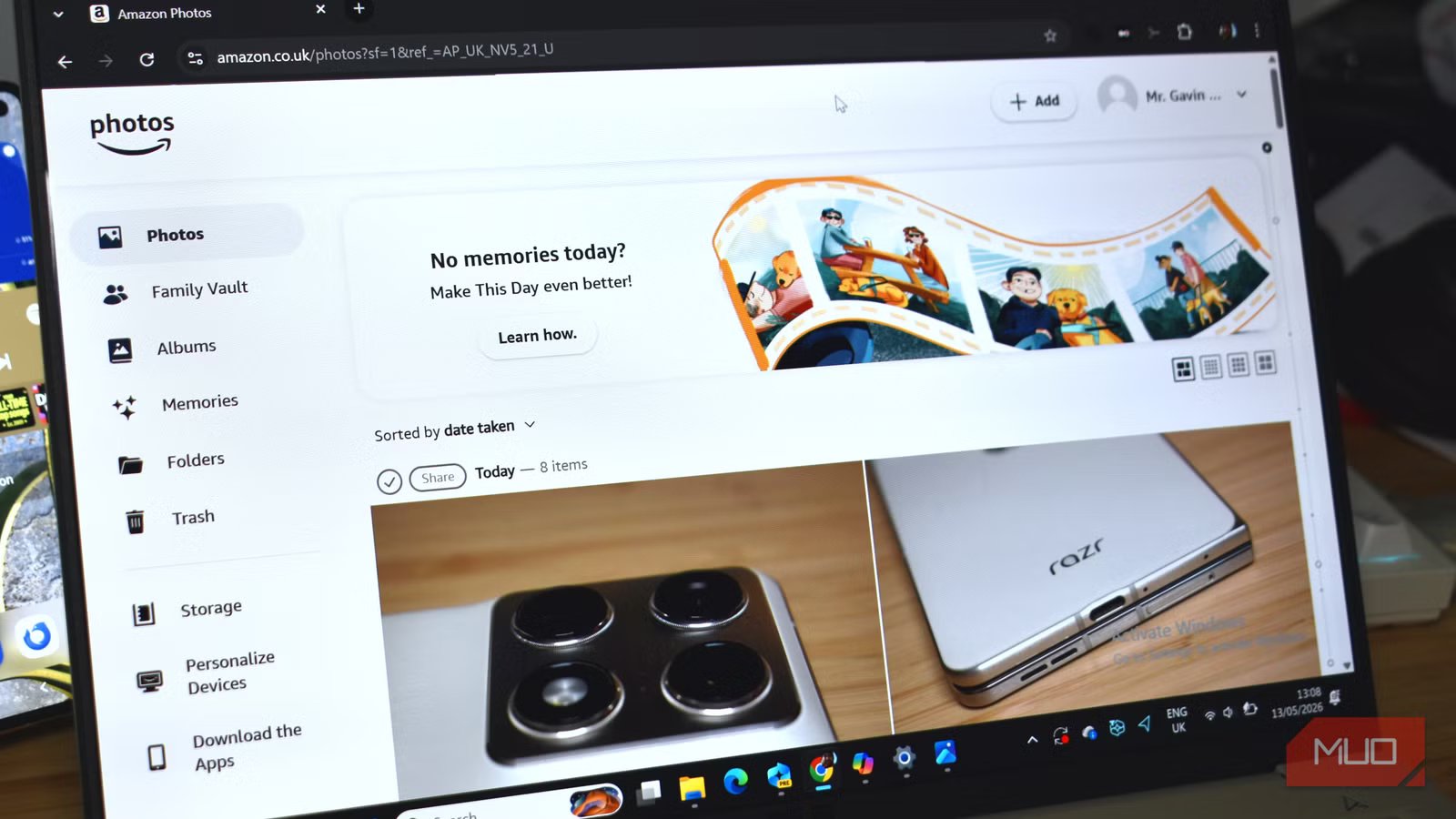
But tucked away inside the subscription is one of the most useful Amazon Prime benefits most people already pay for and never touch: Amazon Photos.
It’s actually one of the best alternatives to the stranglehold Google Photos has on photo-backups, and given so many already subscribe to Prime, I’m surprised more people don’t use it.

I Ran Out of iCloud Storage—Here’s the Cheap Backup Trick That Replaced It
Stop fighting iCloud for more storage space.
Unlimited photo storage is just waiting to be filled
Why aren’t you using it?
The headline for Amazon Photos is unlimited full-resolution storage for Prime subscribers.
That’s a big difference from Google Photos, which by default compresses your images to allow more storage per account. On the one hand, that means you can store more and get more bang for your buck. But the flipside is a reduction in quality, which can cause issues down the line when you want to jump into nostalgia-town and hit those memories up.
As reported by our sister-site How-to Geek, Google is reducing the quality of your memories, and you might not even realize.
That’s where Amazon Photos shines, and something it really should shout about more. While you can enable full-resolution backup with Google Photos, many folks don’t realize it and stick with compressed images. Similarly, iCloud has a compression feature, but it’s not enabled by default.
But Amazon Photos is full-fat, all the time. It also matters more than it used to. Smartphone cameras now capture enormous, highly detailed images (many ship with 200MP cameras now), while mirrorless and DSLR cameras produce even larger files that quickly fill up free cloud photo storage tiers.
In that, given the free tier is 5GB, you could fill that near instantly just backing up a month or two of photos (depending on your usage!).
You can even back up high-quality RAW images
It shouldn’t be your only backup

Now, while this is a little more niche, you can also use Amazon Photos to back up your high-quality images using formats that capture every spec of data, like RAW. That means photographers can use it as a secondary backup destination without immediately sacrificing image quality or metadata, which is a major advantage over services that automatically compress or convert uploads.
I tried Amazon Photos with NEF (Nikon’s RAW format) and RAW files, and both uploaded without issue. However, I have read in a few places that at times, Amazon Photos can be inconsistent with its support, so your mileage may vary depending on your image format.
Still, it’s worth trying, as unlimited storage for the much larger RAW image could be supremely useful.
It also integrates with your other Amazon hardware
I actually didn’t know this

I always love it when I’m writing an article, and I uncover something I really had no idea about. This isn’t new, by any stretch, but I really like that you can connect Amazon Photos to, say, your Fire TV Stick and show your personal photos instead of the default backgrounds.
Enabling the Daily memories feature only takes a second, and you can choose from your various photo collections.
I don’t have any Alexa devices with screens, but the same Daily memories can also be applied across those devices, too.
Family features are also super useful
And actually work

Another one of Amazon Photos features that many folks don’t know about is Family Vault. Long-time Photos subscribers will be rolling their eyes, but Amazon really doesn’t make enough of this feature.
Family Vault basically allows you to share your photo storage with up to five family members — and it’s not limited to those with Prime subscriptions. That’s where Photos and Family Vault actually becomes crazy useful, because you could set up a single family account and have your partner, kids, grandparents, and so on upload images, all stored in one place.
It’s a small thing, but it really turns Amazon Photos from a photo storage and backup service into something that better resembles a family photo book, where everyone can browse and upload memories. Maybe it will finally put an end to constantly asking “Can you send me those photos?”, too.
Amazon Photos vs. Google Photos vs. iCloud
What’s really the best?
I’m getting into a really in-depth look at how Amazon Photos stacks up against its direct competition. Google Photos and iCloud are the top alternatives to Amazon Photos, and each has merits and downsides.
Amazon Photos | Google Photos | iCloud | |
|---|---|---|---|
Pricing | |||
Free storage | 5 GB (photos + video) Unlimited photos with Prime membership | 15 GB Shared with Gmail & Drive | 5 GB Shared across all iCloud data |
Entry paid tier | 100 GB — ~$1.99/mo Or free with Prime ($14.99/mo) for photos | 100 GB — $1.99/mo ($19.99/yr if billed annually) | 50 GB — $0.99/mo |
Mid tier | 1 TB — ~$6.99/mo | 200 GB — $2.99/mo Price rose from $2.99 in Feb 2025 | 200 GB — $2.99/mo |
2 TB tier | 2 TB — ~$11.99/mo | 2 TB — $9.99/mo ($99.99/yr billed annually) | 2 TB — $9.99/mo |
Annual billing | Yes | Yes (~17% saving) | No (monthly only) |
Family sharing | Yes (up to 6 with Prime) | Yes (up to 5 members) | Yes (up to 5 members, shared pool) |
Storage & Uploads | |||
Photo storage | Unlimited (full resolution) | Limited (counts against 15 GB free quota) | Limited (counts against iCloud quota) |
Video storage (Prime/free) | 5 GB only Paid video add-ons available | Counts against shared quota | Counts against iCloud quota |
Original resolution | Always | Optional (Original vs. Storage Saver mode) | Always |
RAW file support | Yes | Limited (RAW stored but not edited natively) | Yes |
4K video (original quality) | Yes (counts against 5GB video cap on free/Prime) | Compressed (Storage Saver caps at 1080p) | Yes (full quality, counts against quota) |
Overall, if you’re already using Amazon Prime, it’s bonkers not to also use Photos. However, if you’re not subscribed, Google and Apple’s competing services make more sense in terms of outright cost and storage, even with the other factors such as compression accounted for.
For me, iCloud and Google Photos also have the edge when it comes to outright usability. The software in each is better than Photos, and because iCloud and Photos are deeply ingrained in Android and iOS, the whole flow feels more seamless.
Not that I’ve struggled with Amazon Photos software, by any stretch. It’s just that the others are better.

5 Android subscriptions you can easily replace with free apps
I canceled multiple Android subscriptions after realizing free apps could replace them without losing features I actually use.
Most Amazon Prime subscribers don’t realize they have it
Better value than Google Photos and iCloud
Amazon Photos comes bundled with your Prime subscription. It’s built right into the monthly or annual cost, but not enough people put it to use. It also doesn’t really make a big deal out of its Photo storage feature, as for most folks, the fast and free delivery and Prime Video are the bigger draws.
But it’s right up there in terms of features and accessibility, and if you’re already subscribed to Prime, it’s a no-brainer to use.



