
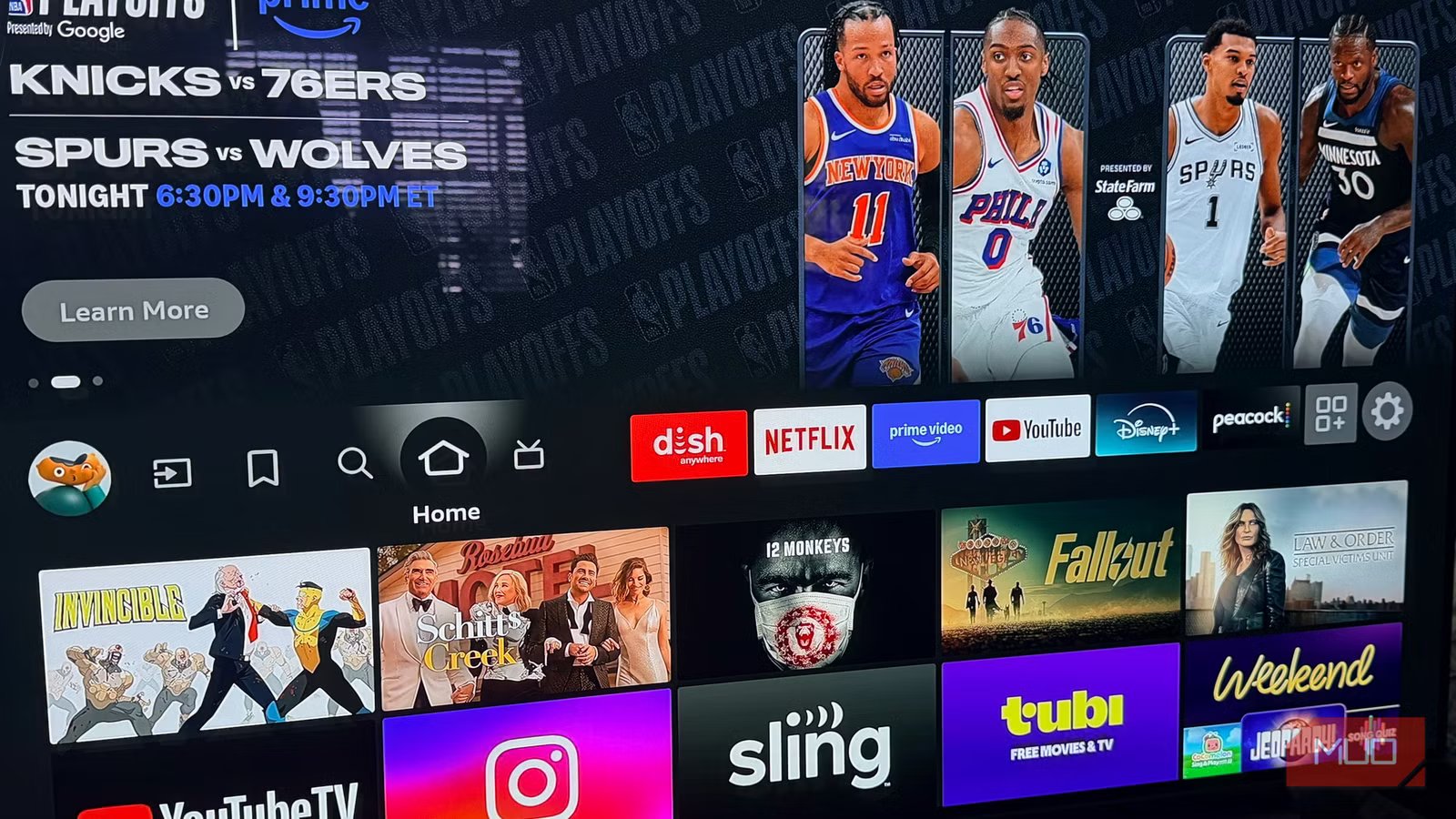
Amazon has made it official: every Fire TV Stick released from this point forward will run Vega OS, the company’s new Linux-based operating system. The announcement, quietly confirmed on Amazon’s own developer website, signals a definitive shift for Fire TV.
Depending on how you use your streaming stick, it could be a bigger deal than Amazon wants you to think.

I replaced my streaming stick and instantly noticed better performance
Could upgrading your streaming device lead to a smarter home? This unexpected choice might be the key.
Which Fire TV Sticks are affected by Vega OS?
Your existing Fire TV Stick isn’t going anywhere
To keep things in perspective, here is some clarity on what’s actually changing.
Two Fire TV Sticks already ship with Vega OS: the Fire TV Stick 4K Select, which launched in October 2025 as the first Vega device, and the latest Fire TV Stick HD. Amazon’s developer page now notes that “starting with Fire TV Stick 4K Select, all future Fire TV Sticks will run on Vega.”
If you already own a Fire TV Stick, nothing is changing on your end. Amazon is not pushing Vega OS to existing devices, and there is no indication that will change. The Fire TV Stick 4K Plus and the very popular Fire TV Stick 4K Max — both still sold today and running Amazon’s Android-based Fire OS 8 — will continue to receive software updates through 2030. Your existing hardware will continue to work as usual.
This change really only impacts what you buy going forward.

- Dimensions
-
1.5 x 5.6 x 0.6 inches
- Connective Technology
-
HDMI
A Fire TV Stick is an excellent gift idea, and it won’t break the bank. TV addicts can conveniently get all their apps in one place. Setup is fast and straightforward, and subscriptions like Netflix, Disney+, and Amazon Prime feature alongside free apps like YouTube and IMDB TV. Podcasts and music from Spotify, Apple Music, and others are also available to keep the whole family entertained. This iteration makes switching between and opening apps a fast and seamless process, particularly true when using the new Wi-Fi 6 support. However, it does still work well with previous Wi-Fi versions, too. Connecting compatible Amazon smart devices around the home is also a cinch. Picture-in-picture views from a Ring doorbell camera are possible while the family watches their shows relatively uninterrupted. This feature is a great way to announce the pizza’s arrival during the big game. Echo speakers can also be paired, and Alexa can perform various tasks, from playing music to checking sports results.
What is sideloading, and what does losing it actually mean?
Why Android made sideloading possible in the first place

The reason this matters to power users comes down to sideloading.
Sideloading is the practice of installing apps on a device from outside the manufacturer’s official app store. On Android-based Fire TV devices, this was relatively straightforward. You’d enable “Apps from Unknown Sources” in the settings, download an APK file, and install it. It was easy enough for anyone to do.
That capability existed because Fire OS was built on the Android Open Source Project. Amazon heavily customized the interface, but the Android foundation kept the door open for users who wanted more than what Amazon’s Appstore offered.
Vega OS effectively ends that. It’s Linux-based, not Android, and “Apps from Unknown Sources” doesn’t exist in the settings because the option was never built in. Technically, a sideload path exists for developers — it requires an Amazon developer account, a USB cable connected to a computer, and command-line tools — but that’s not a realistic option for the average person, and Amazon likely considers that a feature, not a bug.
Sideloading was your backup plan — and you probably didn’t know it
The HBO Max situation shows exactly what’s at stake

The bigger issue is how this affects longevity: sideloading wasn’t just for power users and hobbyists. For years, it served as a quiet safety net for ordinary Fire TV owners whenever things went wrong in the app ecosystem.
Take the HBO Max situation, for instance. Recently, HBO Max updated its Fire TV app to drop support for devices running Fire OS 5 — hardware sold between roughly 2015 and 2020. That’s estimated to affect millions of Fire TV devices still in active use. Historically, when a streaming app dropped support for a device, sideloading offered a workaround: an older working version of the app, a Kodi add-on, an APK from another source. Not perfect solutions, but options.
On a Vega OS device, those options don’t exist. If a streaming service stops supporting your stick, you’re essentially hit with a dead end.
There’s also a long-term problem to consider. To bridge the gap while developers rebuild their apps for Vega, Amazon introduced a Cloud App Program — Android versions of apps hosted on Amazon’s servers and streamed to your device, similar to cloud gaming. Amazon is covering that hosting cost for nine months.
After that window closes, each developer has to make a call: rebuild a native Vega version, keep paying for cloud hosting, or walk away. Some will walk away. On an Android-based Fire TV, a sideloaded APK could fill that gap. On Vega, there is no gap-filler.
Why Amazon is replacing Fire OS with Vega OS
Piracy, platform control, and the cost of relying on Android

Amazon’s reasoning is straightforward.
The anti-piracy angle is real. Fire TV sticks became notorious for sideloaded apps that provided access to pirated content, drawing sustained pressure from the Alliance for Creativity and Entertainment and content partners, including Sky and the Premier League. Vega OS solves that problem structurally — you simply cannot install unauthorized apps.
Control over the ecosystem is the other factor. Fire OS was always built on borrowed code. Amazon used the Android Open Source Project but never licensed Google’s Play Store or official Android services, which created compatibility limitations and technical debt that accumulated for over a decade. Vega is a clean break.
Built on Linux and the React Native framework, it gives Amazon full ownership of its platform and means the company is no longer dependent on Google’s decisions about Android.
Performance is also genuinely better on constrained hardware. Vega OS runs leaner than Fire OS, which is part of why Amazon can deliver a $30 streaming stick that launches apps quickly.
For the average Fire TV user, Vega OS changes almost nothing
The streaming apps you actually use are all still there

To be fair, the vast majority of Fire TV users will not miss sideloading. At all.
If your Fire TV stick is how you watch Netflix, Prime Video, YouTube, Disney+, or some lesser-known apps, Vega OS supports them all. The interface looks familiar. The remote works the same way. For casual viewers — which is most viewers — the Vega experience will feel essentially identical to what they already have.
Worth noting: Roku has never allowed sideloading and holds more than half of US streaming-device households. The sideloading crowd, while vocal, represents a small slice of the market. Most people never knew the option existed.
What sideloaders should do right now
If you are someone who sideloads — or simply wants the freedom to do so in the future — the choice is straightforward. Do not buy a new Vega OS Fire TV Stick. The Fire TV Stick 4K Select and Fire TV Stick HD are already off the table, and every new stick Amazon releases going forward will join them.
Your options are the Fire TV Stick 4K Plus and the Fire TV Stick 4K Max, both still available and both running Android-based Fire OS with full sideloading support through 2030. The 4K Max is the better long-term buy — more powerful hardware, more headroom. Stock up if this matters to you, because once these models are discontinued, that’s it for Android-based Fire TV sticks.
The HBO Max situation is a sign of things to come. As the app ecosystem evolves and more streaming services update their requirements, the ability to sideload will matter more, not less. On current Android sticks, you’ll have options. On Vega, you won’t.



