
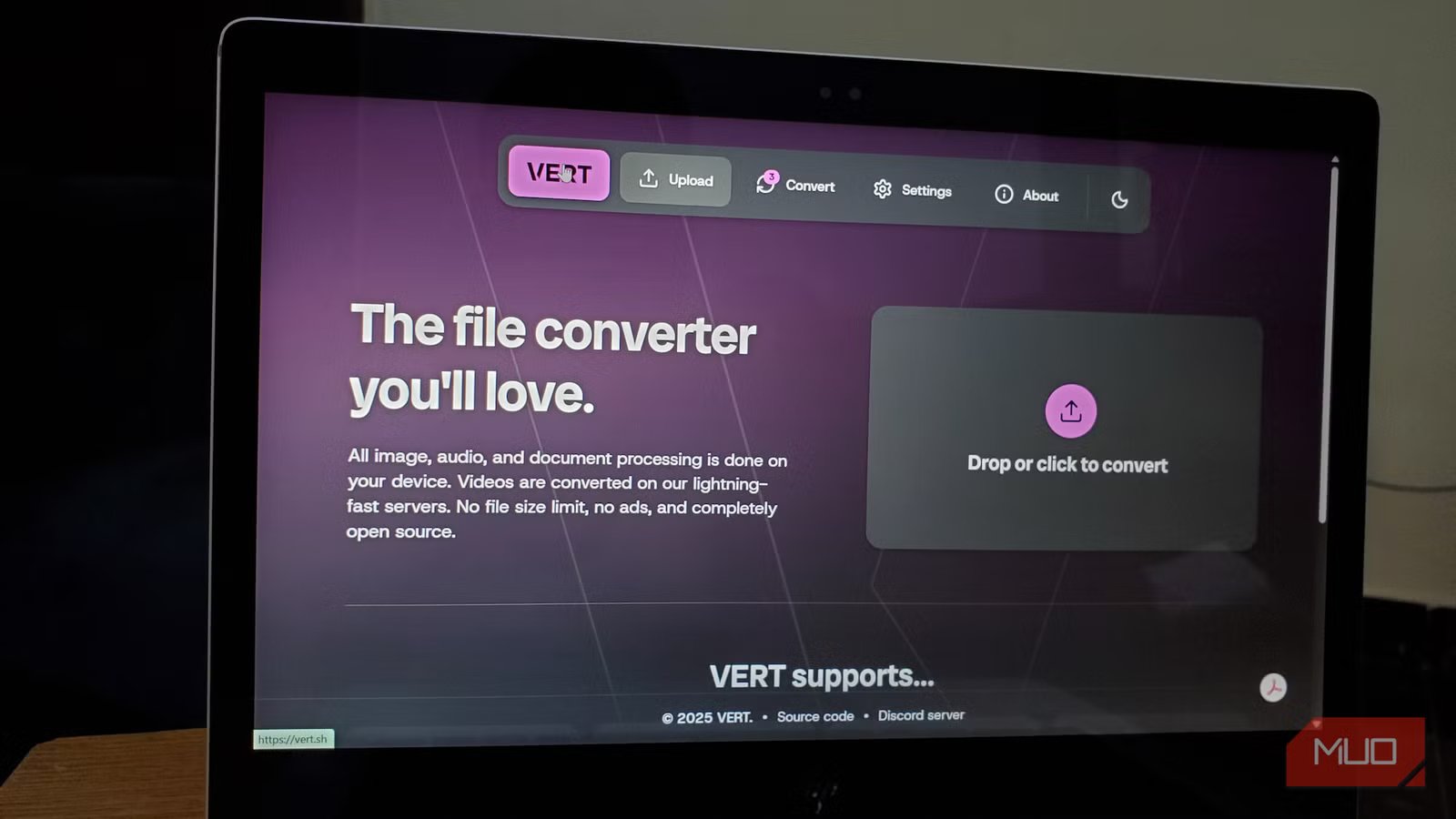
Gone are the days when you had to install a piece of software separately for anything you wanted to do. The internet is now filled with online tools that let you convert files from one format to another, edit photos, compress files, and whatnot. However, when you go on the internet for anything free, it comes with a catch. The website may have a cap on how many files you can convert, may not let you batch convert, or may restrict the output quality. In fact, not all free file converters are as innocent as they look, and most people don’t think about it until something goes wrong.
For this very reason, I started researching tools that are not only safe to use but also let you accomplish what you want. Luckily, I stumbled upon Vert. The best part — it’s a one-stop shop for all your conversion needs.

5 extremely useful open-source apps I use from a web browser (no install required)
I rely on a handful of open-source web apps that handle everyday tasks without installing anything locally.
Traditional file converters have problems
Privacy risks, upload limits, you name it

If you want to convert a PNG to JPG, you can simply launch your favorite web browser and type “PNG to JPG converter,” and instantly, you will see multiple results. Now, the catch is that whatever online file converter website you choose to handle your files, as soon as you upload the file, it is sent to a remote server.
You might see a few services claiming they delete your files in a few hours, but during those few hours, the file is shared with a third party. In a world where a few seconds of private information is more than enough to know details about a person, having your private image or file on a server for a couple of hours, you can understand what can happen.
On top of that, these free services often slap you with frustrating limitations. If you upload a large video or high-quality image, it triggers a prompt asking you to upgrade to a paid plan. While some may let you upload large files, there is always a limitation on the quality during output.
If you are looking for ways to avoid this on a desktop, then you might already rely on a dedicated Windows converter app. However, Vert brings this offline power straight to your web browser — no software or installation required.
Vert completely changes the game
It converts files directly into your browser — no server involved

Vert is a browser-based file converter solution that does something that many tools don’t bother to do — it converts your files directly on your device. This means that whatever file you upload, it never gets transferred to any third-party server.
The good thing is that it isn’t just a marketing line. It is the very basis of the tool, and it is how it is technically built. Vert makes use of something called WebAssembly (Wasm), which is a technology that lets high-performance code run right inside your browser, at near-native speeds.
The advantage? The heavy-lifting task of converting your image, audio, or documents happens locally, in your browser tab, while the file remains untouched on your computer. No uploading, no waiting, and no wondering where your data went. Vert is completely free to use, has no ads, is open source, and can be accessed by heading over to vert.sh. So, anyone with sufficient knowledge can scrutinize the app and understand exactly what it does.
You might have noticed I did not write “video” in the first line of the above paragraph. This is because there is one thing I need to be transparent about with you. Video conversion is one category that is a bit different from other formats.
Since transcoding video is computationally intensive, Vert publicly states that videos are uploaded “to a server for processing by default. This is because video conversion is hard to do in a browser as it uses a lot of resources, and will end up running very slowly.” Your videos stay on the server for an hour if you do not convert them. Also, if you convert the video, it stays on the server for an hour or until you download it.
If you want to totally avoid that, then Vert has a solution to this called Vertd. It is a FFmpeg wrapper built inside Rust that you can run on your PC using Docker. Self-hosting might sound complicated, but it is doable if you follow the steps correctly.
The formats Vert supports are comprehensive
From RAW camera files to EPUB
One of the first things that I checked about Vert was which formats it could handle. I also cross-checked if it could handle the niche formats that I occasionally deal with. In short, the answer was yes, Vert is an all-rounder and can basically help convert anything you throw at it.
- Images: Aside from standard formats like JPEG, PNG, WEBP, and GIF, it also lets you convert formats like HEIC, AVIF, TIFF, BMP, ICO, SVG, and even RAW formats like NEF, CR2, and DNG.
- Documents: Vert can handle DOCX, DOC, PDF, Markdown, HTML, RTF, EPUB, ODT, CSV, TSV, JSON, and more.
- Audio: Formats such as MP3, WAV, FLAC, AAC, OGG, and others are handled efficiently by Vert. It can also convert a lossless FLAC file to a compressed format as well.
- Video: MP4, MKV, AVI, MOV, WEBM, and other video formats are easily handled by the server-side processing (as mentioned above).
In total, over 250 formats are supported by Vert. Everything except for videos, is processed on your device. This also means that the conversion speed depends on your device, since none of your files leave your PC. If you frequently need to convert PDFs to Word for free or want to convert audio files, then Vert is the best option.
No-nonsense converter
Vert is a bookmark material for those who have to deal with a lot of file conversions in their daily routine. There are no ads, no subscriptions, no paywalls, no watermark surprises, and no installations. However, it isn’t perfect either. With Vert, local processing of video files is not possible. Secondly, very large files can strain your browser, depending on your hardware. If you have a machine with good specs, then it is just impressive. On old hardware, Vert will feel sluggish. Despite this, for the vast majority of conversion tasks, Vert is an absolute no-brainer and the best of all the stuff that I’ve tried.



