You’ll no longer need to manually add your ID details for each airline.

Google says it’ll soon be easier for those enrolled in the Transportation Security Administration’s (TSA) PreCheck Touchless ID program to set things up in Google Wallet and breeze through security. As it stands, program members need to manually enter their passport info for each airline. Only a limited number of airlines support PreCheck Touchless ID across 65 airports.
That’s about to change as part of an expansion of the program. Google is deploying an update over the next few weeks that should streamline the process with the support of 100 airlines. You’ll soon only need to opt in once via Google Wallet. Google says it’s the TSA’s first digital wallet partner for the program.
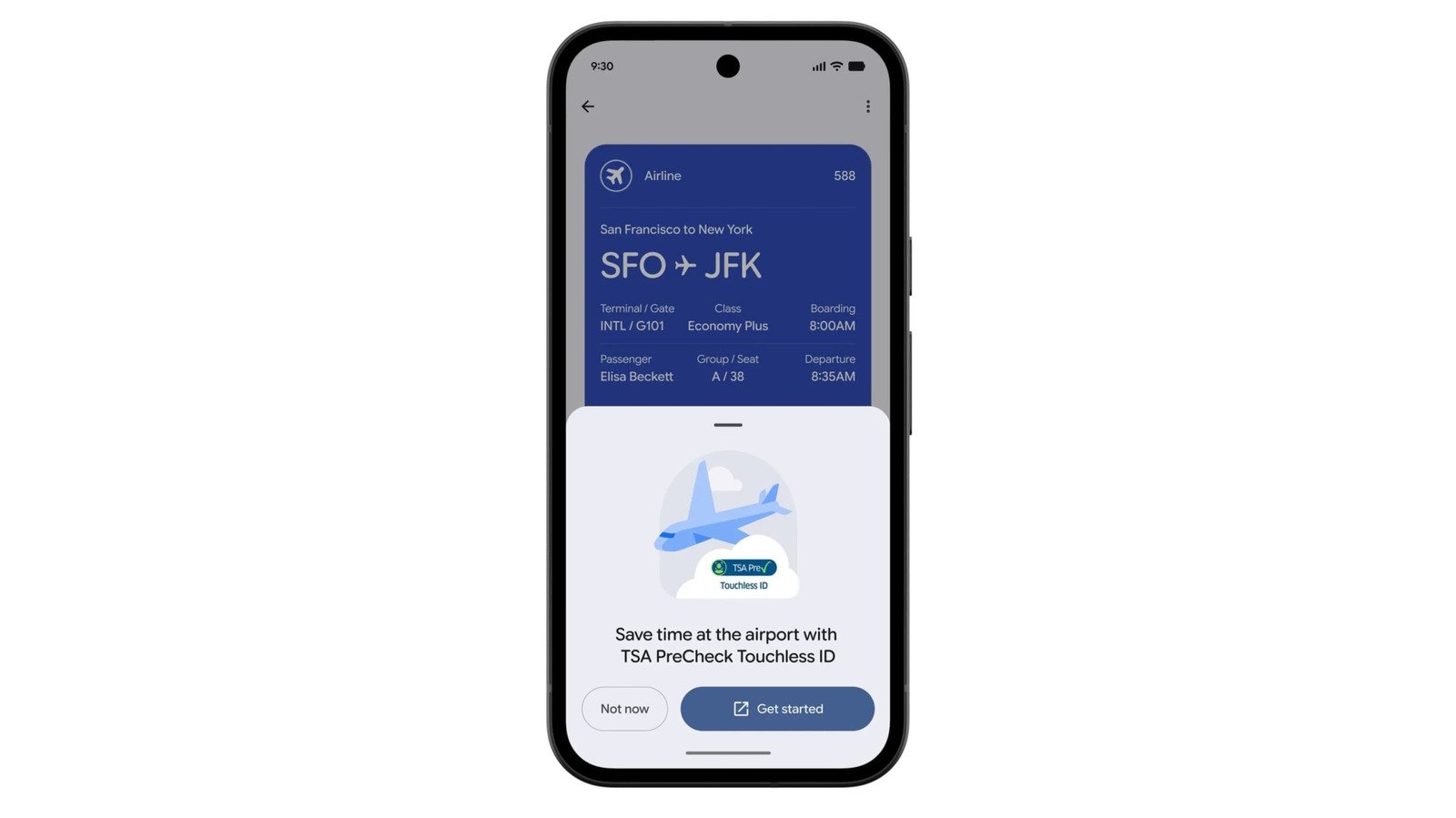
You’ll need to create an ID pass with your credentials, then check in for your flight and add your boarding pass to Google Wallet. If you’re eligible, you’ll see a “get started” button on the boarding pass (as shown above) that takes you to a TSA enrollment page, through which you can agree to share your ID pass and flight details with the agency. After the TSA rubber-stamps your enrollment, you’ll see a PreCheck Touchless ID icon on your boarding pass, meaning you can zip through the relevant express line at airport security without having to take out a physical ID.
Privacy is, of course, a key factor here. Google reaffirmed that Wallet shares your info with the TSA only after you opt in and then unlock your device via biometric, PIN or pattern authentication. Your digital IDs are encrypted and stored locally on your phone too. For frequent travelers who fly with several airlines, this might be a simpler way to handle things than by going through each carrier’s own app.