
Home Assistant is a digital solution in a digital world, but sometimes we all need a little analog in our lives. Not every project needs to involve cloud services, voice assistants, or expensive touchscreens. You can do a lot with some old-school methods, too.
Use LoRa to extend the range of your smart home
Radio isn’t dead
Humankind has been harnessing the power of radio waves for a long time. It was way back in 1895 that Marconi was able to send messages in Morse code over significant distances. More than a century later, long-range radio communication can still be very useful in your smart home.
LoRa is a low-power radio technology that can send small packets of data over much longer distances than Wi-Fi or Zigbee. It’s a great way to connect sensors to your smart home that are too far away to connect consistently via other means.
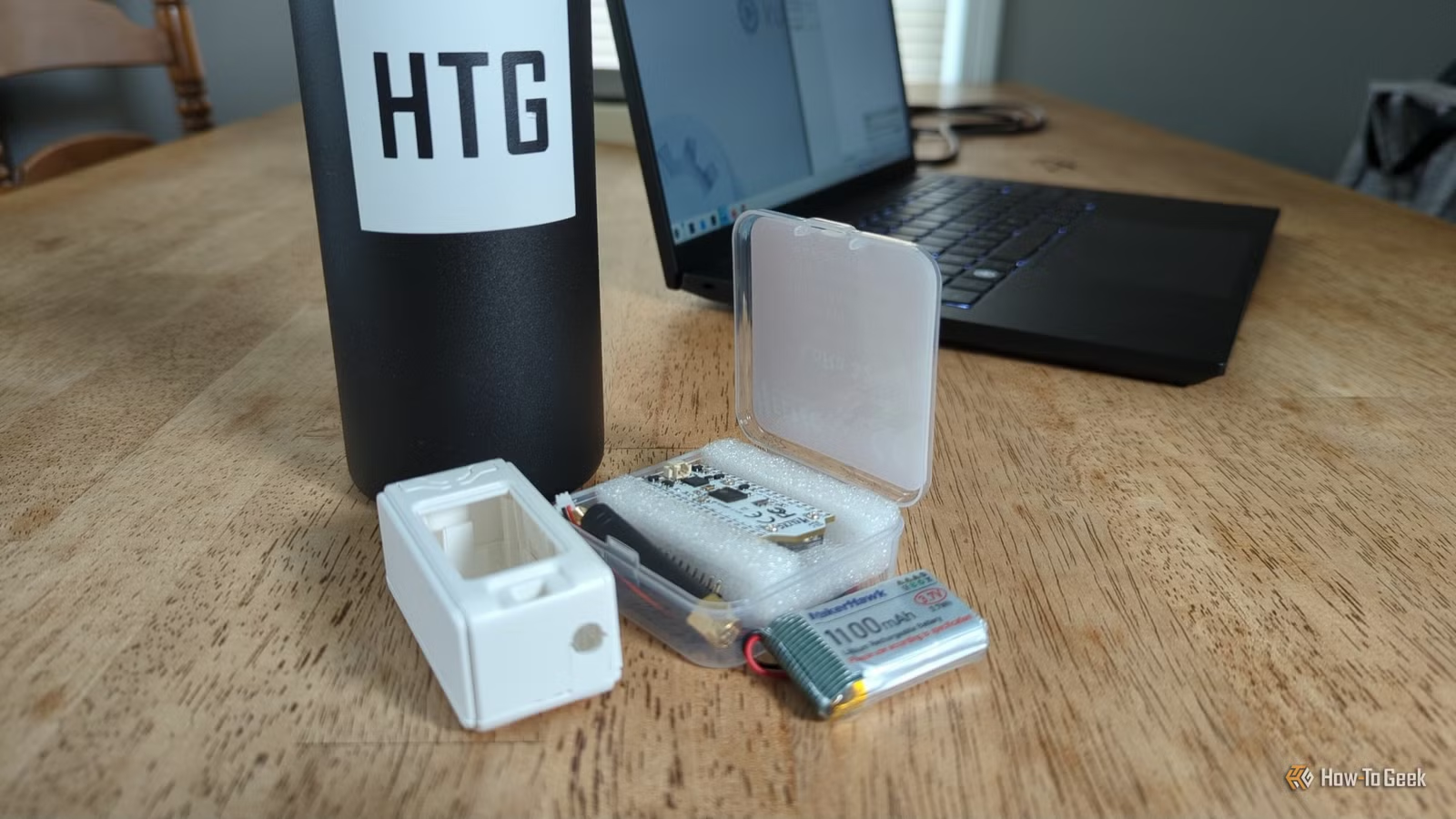
Meshtastic is an open-source, decentralized mesh networking system that lets you send data over long distances using radio. While you can use Meshtastic for wireless communication over long distances, you can also use it with Home Assistant to allow your smart home server to communicate with sensors that are quite some distance away.
For example, if your mailbox is a long way from your home, a Zigbee motion sensor may be too far away from other nodes to connect. That means you can’t use it to determine when your mail has arrived. You can use Meshtastic to transmit data from a PIR sensor in your mailbox to your Home Assistant server, alerting you when the mail has arrived.

- Brand
-
MakerHawk
- Operating System
-
Meshtastic
This ESP32 kit includes everything you need for connecting to your local Meshtastic network, or any other LoRa-based tech project. There’s an LED display, a 1100mAH battery, and multiple antennas.
Turn a pixel clock into a Home Assistant display
You don’t need a high-resolution dashboard
A tablet can make a great smart home dashboard. The high-quality display allows you to fit a huge amount of information onto the screen. Sometimes, this is the problem; it’s all too tempting to fit as much as you possibly can onto your dashboard, making it too crowded to be of any real use.
Sometimes, a simpler display is a better option. When you’re limited by how much you can show on the screen, it makes you focus on the things that are most important. A retro-style LED matrix display is a great option.
You can build a matrix display yourself using an ESP32 and WLED, but if you’d prefer something that involves less building and more hacking, then the Ulanzi TC001 Smart Pixel Clock is a popular choice. You can flash it with AWTRIX, a custom firmware for the device, connect it to Home Assistant, and use it as a retro smart home dashboard.

You can then use the TC001 to display all kinds of smart home information. For example, you can display your current electricity usage, the air quality in your home, or hyperlocal weather from your weather station. You can show reminders, such as whether it’s trash day or if your sensor batteries need replacing.
You’re not limited to static images, either. With the AWTRIX 3 firmware, you can use hard-coded animations, such as a Matrix-style effect, snow, stars, fireworks, and rain, or pixel GIFs created by the community. If you want something truly unique, you can create your own animations frame-by-frame.
Make your smart home physical again
Sometimes you just want to twist a knob
There are so many ways to control your smart home with Home Assistant. You can use voice commands with a local voice assistant or tap a button on a wall-mounted dashboard. You can use sensors and automation so that your lights turn on when you enter the room without you having to lift a finger.
Smart switches and smart buttons allow you to control your smart home by pushing buttons, but sometimes you just want to turn a good old-fashioned knob. I still miss the fat, chunky, ridged knobs of my dad’s old Goodmans stereo system. They were beautiful to turn, with a really lovely weight to them.
There’s something highly satisfying about rotating a knob and seeing something happen in response, whether it’s dimming a light or turning up your heating. If you want a bit of rotary action in your life, there are plenty of ways to add knobs and rotary encoders to Home Assistant.
You can buy ready-made devices, from cheap Zigbee smart knobs to powerful rotary controllers with their own dedicated displays, such as the M5Stack Dial. If you want to get your hands dirty, you can build your own simple smart knob with an ESP32 and a $10 rotary encoder.
If you really want the ultimate rotary control for Home Assistant, you can build your own DIY smart knob with haptic feedback, a brushless motor, and an LCD display. It’s about as good as a knob can get.
Go old-school with Home Assistant
You can use state-of-the-art technology in your smart home, but you don’t always have to. Sometimes older methods can do the job just as well or even better. When modern protocols like Zigbee can’t do the job, sometimes a bit of old-school radio is all you need.



