
I used to love watching my inbox automate itself. A flight confirmation would hit my inbox, and instantly, my calendar was updated, my hotel was mapped and a perfectly polite “Thanks, see you Tuesday!” was sitting in the smart reply box. The futuristic productivity felt good.
Except, over the last few months, as AI has become deeply integrated into everything we do online, that convenience started feeling a lot more like surveillance. Not in a spooky “I’m being watched” sort of way, but just in what felt like too much AI integration involvement. I realized I’m really fine without all AI all the time. In fact, when I disabled Personal Intelligence in Gemini, the AI responses got better.
So, for the past seven days, I ditched my standard, cloud-based AI inbox (Gmail) and switched to a “zero-knowledge” local email client. This means the AI still scans my email for spam, phishing and organization, but it does it locally on my device’s hardware. My data never hits a corporate server.
Here is what I learned about the hidden cost of “free” AI, what I lost in the transition and why I’m never going back.
What my old inbox actually knew
Before making the switch, I did a deep dive into my data dashboard on my old provider. It was a sobering experience. To make its cloud-based AI function, the system wasn’t just “glancing” at my emails; it was building a comprehensive profile of my entire life.

Here is a snapshot of what was being actively processed:
- Every purchase I made: From my morning coffee receipts to a prescription refill, categorized and logged.
- My exact travel history: Not just flights, but Uber receipts mapping out my routes recently and foreign cities years ago.
- Relationship dynamics: The AI knew who I emailed most frequently, what tone I used with them and how quickly I typically responded to specific people.
This was such a reality check. It gave me that feeling when you are thinking of something and then suddenly see an ad for it. Having this much AI intertwined in my life felt like AI was inside my brain, not just my inbox.
It was sobering to realize you aren’t just giving up your data to get a quick summary of a long email thread. You are training a corporate AI model on the intimate details of your life. Whether that “training” is used anywhere is besides the point. I just didn’t want it anymore.
Moving to ‘zero-knowledge’
Setting up a zero-knowledge, on-device AI inbox was surprisingly easy and honestly quite eye-opening.
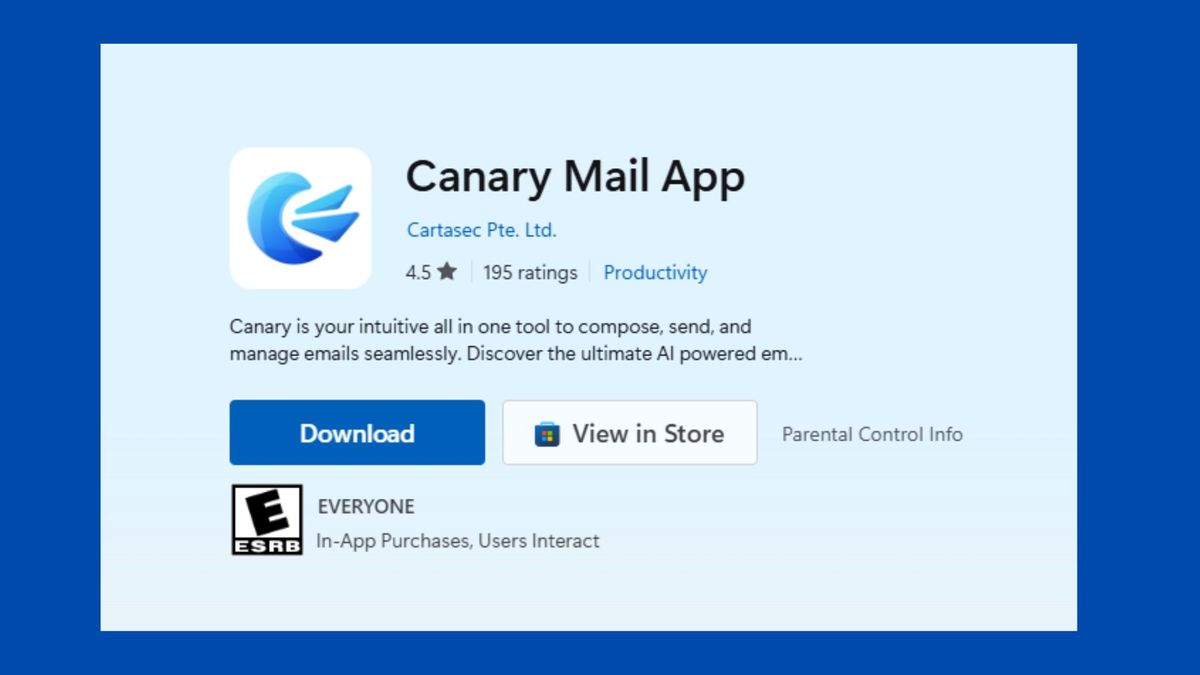
I decided to try Canary Mail, a privacy-focused email client that’s built around the idea that your AI tools shouldn’t require handing over your entire digital life to the cloud.
Unlike traditional AI-powered inboxes that process your emails on remote servers, Canary Mail leans heavily on local processing and encryption. That means many AI-powered actions happen directly on your device instead of being constantly analyzed in a company’s data center.
Importantly, I didn’t need to abandon my Gmail address or create a new email account. I simply swapped the app handling my inbox. My email stayed the same but the way the AI processed it changed completely.
The setup process felt a lot like adding any normal email app:
- I downloaded Canary Mail on my laptop
- Connected my Gmail account through secure authentication
- Let the app locally index my inbox
- Enabled AI features directly inside the client
What surprised me most was how normal everything felt afterward. I still had the smart summaries and writing assistance, plus inbox organization and spam filtering. But Canary Mail’s underlying system worked very differently.
With traditional cloud AI inboxes, your emails are often sent to external servers where large AI models process the content remotely. That’s how features like summaries, suggested replies and “smart organization” typically work.
With a local-first setup, your device itself becomes the processor. Our laptops and phones now include dedicated neural processing units (NPUs), which are specifically designed to handle AI tasks directly on-device. Instead of constantly uploading sensitive data to the cloud, the AI can perform many actions locally. And why this sounds like a minor difference, it significantly changes how privacy works entirely.
For example, when a suspicious email lands in my inbox, the local AI model running on my machine can analyze the message and flag it as spam without needing to transmit the entire email to a remote server first.
But the email provider never sees the AI analysis or the contents of the message.
That’s the core idea behind “zero-knowledge” systems: the service itself has as little knowledge of your data as possible.
Of course, no system is perfectly private. If you use cloud-based features, sync across devices or connect external AI services, some information may still leave your device. But compared to the default “everything gets uploaded” model most people unknowingly use today, the difference felt significant.
What I lost
I won’t lie to you and tell you that I fell in love with Canary Mail right away. Detoxing from cloud-based AI comes with some serious growing pains. If you rely on your email to act as your personal assistant, a local client is going to feel like a downgrade. I really missed having the AI pull out information from my inbox easily, especially while working within the Google Workspace.
Here are a few things I lost in this process:
- Goodbye, seamless ecosystem. Because the data lives on my device, not in the cloud, my phone didn’t magically know about a calendar event that arrived via email on my laptop. I had to manually sync them.
- Slower search. Cloud servers can search a decade of emails in milliseconds. My local computer took a noticeable few seconds to churn through my massive archives.
- Dumbed-down drafting. My old AI could draft a highly contextual reply based on emails from three years ago. The local AI is much more limited, offering generic phrasing rather than writing the entire email in my exact voice. I didn’t rely on it much at all for drafting emails, which took more time than simply hitting send.
Despite losing a little bit of productivity and dealing with a small learning curve, the psychological relief was immediate. I no longer felt the creeping dread of knowing an algorithm was reading an email from my doctor or a sensitive financial document.
Without my inbox feeding the ad-targeting beast, the bizarrely specific ads following me around the web notably decreased. And, because zero-knowledge clients block tracking by default, senders couldn’t tell when (or if) I opened their emails, cutting down on the aggressive follow-up spam from marketers.
The takeaway
It’s only been a week, but I don’t miss the “convenience” of AI knowing every detail of my life. Even though it takes me more time (roughly five minutes more, nothing drastic), I really enjoy the trade off.
After a week of remembering life without AI in my inbox, I’ve realized that I don’t need an AI to write a three-sentence email for me, especially not if the cost is letting a corporate algorithm rummage through my digital life. Reclaiming my privacy took a little bit of work, but buying back my peace of mind was entirely worth it.
What do you think of the “zero-knowledge” inbox? Is it worth leaving AI behind? Let me know in the comments.

Follow Tom’s Guide on Google News and add us as a preferred source to get our up-to-date news, analysis, and reviews in your feeds. Subscribe to Tom’s Guide on YouTube and follow us on TikTok.



