
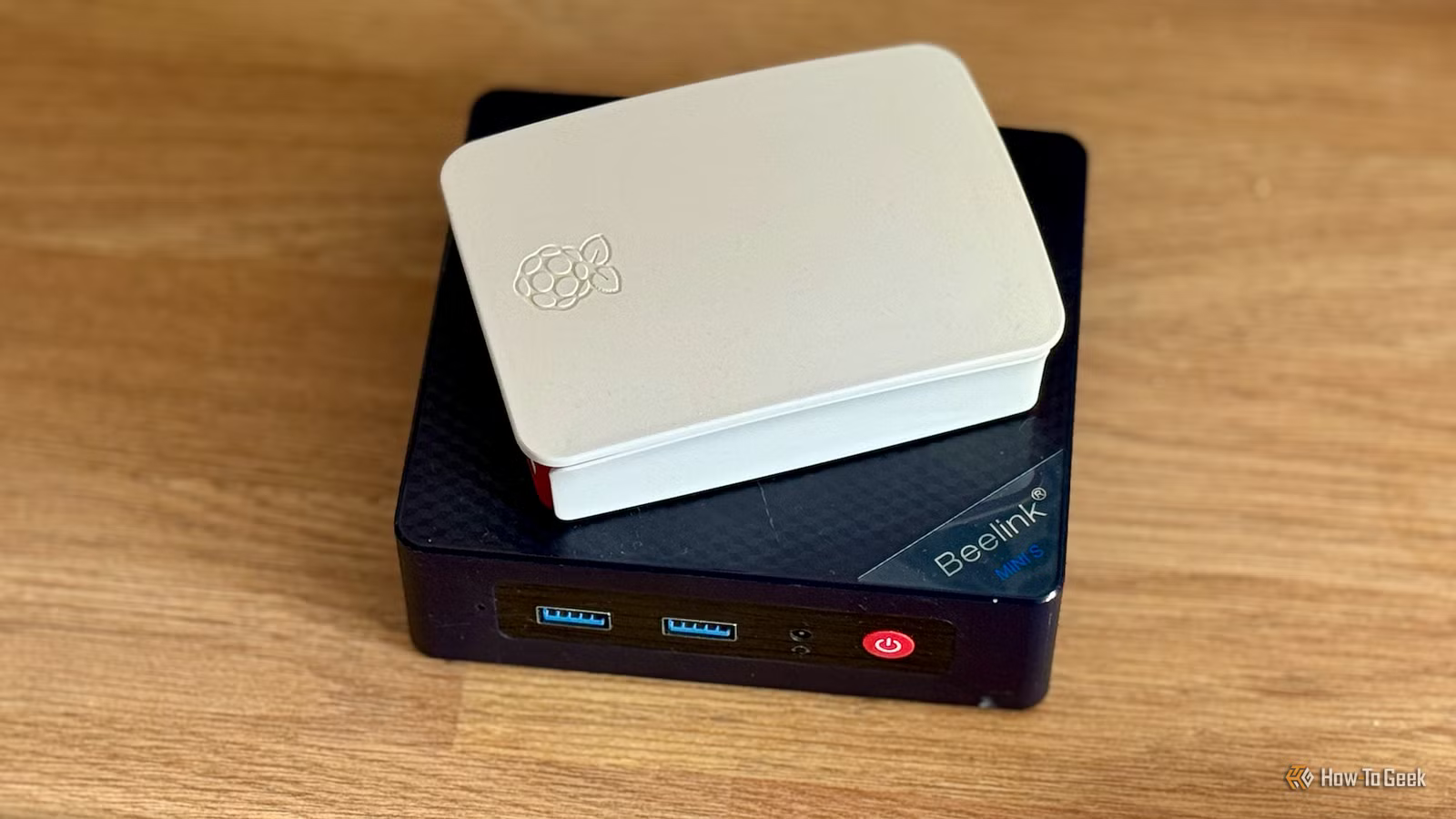
Self-hosting had always sounded appealing; the idea of running my own services and keeping control of my data was music to my ears. Despite running a Home Assistant server for several years, however, I’d never gotten beyond that point until I bought a relatively cheap mini PC.
Why self-hosting never stuck before
The hardware was always holding me back

For a long time, I ran Home Assistant on a Raspberry Pi 3B+. The low-power single-board computer was ideal for running my modest smart home, but it didn’t leave any headroom for anything else.
I did try self-hosting some services on other computers. I tried setting up a Plex server running on my aging iMac, but it was so old that it wouldn’t support hardware transcoding. Having to do without hardware transcoding led to constant buffering, which meant that I ended up giving up on the idea.
The problem wasn’t that the idea of self-hosting was bad. I just didn’t have the hardware to run it on. The appeal of self-hosting wasn’t so strong that I felt it was worth spending significant amounts of money on a new computer or dedicated machine.

Quiz
Cloud storage and self-hosting
Trivia challenge
From Dropbox to your own home server — how well do you really know where your files live?
CloudSelf-HostingProtocolsSecuritySoftware
Which company launched the first widely popular consumer cloud storage service, debuting in 2007?
Correct! Dropbox launched in 2007 and is widely credited with popularizing consumer cloud storage. Its simple file-syncing model set the template that almost every competitor would follow for years.
Not quite — the answer is Dropbox, which launched in 2007. Google Drive didn’t arrive until 2012, and OneDrive (then called SkyDrive) only became prominent around the same time.
Nextcloud is best described as which type of software?
Correct! Nextcloud is a free, open-source platform you install on your own server to get Dropbox-like features without relying on a third party. It supports file sync, calendars, contacts, and hundreds of community apps.
Not quite — Nextcloud is an open-source, self-hosted platform. It was actually forked from ownCloud in 2016 by founder Frank Karlitschek and has since become one of the most popular self-hosting projects in the world.
Which protocol does Nextcloud and many other self-hosted storage tools use to sync files between a server and client devices?
Correct! WebDAV (Web Distributed Authoring and Versioning) is an HTTP extension that allows clients to read and write files on remote servers, making it a natural fit for cloud-style file sync applications.
Not quite — the answer is WebDAV. While FTP, SFTP, and SMB are all valid file-transfer protocols, WebDAV is the standard used by Nextcloud, ownCloud, and many other web-based storage platforms because it runs over standard HTTP/HTTPS.
What does end-to-end encryption (E2EE) mean in the context of cloud storage?
Correct! With true E2EE, encryption and decryption happen on the user’s device, so the cloud provider stores only ciphertext and cannot read your files even if compelled to. Services like Proton Drive and Tresorit are known for this approach.
Not quite — E2EE means files are encrypted on your device before they ever leave it, so the provider only ever sees unreadable ciphertext. This is different from standard server-side encryption, where the provider holds the keys and could theoretically access your data.
What is a NAS, commonly used in home self-hosting setups?
Correct! A NAS (Network-Attached Storage) device connects to your home router and makes its hard drives accessible to every device on the network. Popular brands include Synology, QNAP, and Western Digital, and many run apps like Plex or Nextcloud.
Not quite — NAS stands for Network-Attached Storage. It is a purpose-built box with one or more hard drives that plugs into your router, letting all devices on your network access shared storage without needing a full PC running 24/7.
Which cloud storage service is natively built into macOS and iOS, deeply integrated with Apple’s ecosystem?
Correct! iCloud Drive is Apple’s built-in cloud storage service, tightly integrated into macOS, iOS, and iPadOS. It handles desktop and document folder sync, app data, photos, and more, all within Apple’s walled garden.
Not quite — the answer is iCloud Drive. While OneDrive, Google One, and Dropbox all have iOS and macOS apps, iCloud Drive is the service Apple built directly into its operating systems, making it the default for most Apple users.
Which open-source media server software is frequently self-hosted to stream a personal video and music library to any device?
Correct! Jellyfin is a fully free and open-source media server that you host on your own hardware. It streams your personal library of movies, TV, and music to browsers, apps, and smart TVs — with no subscription or tracking involved.
Not quite — the answer is Jellyfin. VLC and Handbrake are local playback and transcoding tools, while Kodi is a media center app rather than a server. Jellyfin (and its proprietary cousin Plex) are specifically designed to serve media over a network.
When self-hosting a service and exposing it to the internet, which tool is most commonly recommended to securely provide remote HTTPS access without opening router ports directly?
Correct! A reverse proxy like Nginx Proxy Manager or Caddy sits in front of your self-hosted apps, handles SSL/TLS certificates automatically, and routes traffic securely. This avoids exposing individual app ports directly and centralizes access control.
Not quite — the standard answer is a reverse proxy such as Nginx Proxy Manager or Caddy. Telnet is unencrypted and obsolete, RDP exposes the whole desktop and is a common attack target, and plain FTP lacks encryption, making all three poor choices for secure remote access.
Your Score
/ 8
Thanks for playing!
Why the Beelink Mini S12 Pro made the difference
The specs that matter

All of that changed when I bought a mini PC. I’d been wanting to upgrade my Home Assistant server for some time, and it seemed like a good opportunity to buy a device that could run Home Assistant and handle some other self-hosted services, too. A mini PC seemed like an affordable option.
If you’re reading this now, thinking that you might do the same, I do feel a little guilty. I bought my mini PC in 2024, and back then, you could get some real bargains. I bought a Beelink Mini S12 Pro with an Intel N100 processor that can boost up to 3.4 GHz, 16 GB of RAM, and a 500 GB SSD, and it cost me just over $200.
Right now on Amazon, that same model with that same spec is selling for $429, double what I paid. Comparatively speaking, it’s still a decent value compared with many other PCs, but it’s no longer the reasonably cheap option it used to be. There’s a newer S13 model available with an N150 processor, which is currently selling for under $400, or you can get one with less RAM and storage for under $300.

- CPU
-
Celeron FCBGA1264 3.6GHz
- Graphics
-
Integrated Intel Graphics 24EUs 1000MHz
- Memory
-
16 GB DDR4
- Storage
-
500GB
- Operating System
-
Windows 11 Home
- Dimension
-
4.52 x 4 x 1.54 inches
The Beelink Mini S13 Pro desktop PC is a ultra-compact computer powered by the Intel N150 processor. Shipping with 16GB of DDR4 RAM and a 500GB SSD, this micro desktop is perfect for a variety of workloads. From running simple server programs to replacing your old PC, the Beelink S13 Pro is up to the task.
The mini PC finally made it possible for me to run other services aside from Home Assistant. The 16 GB of RAM gives me enough room to run Proxmox Virtual Environment and have multiple self-hosted services running at once on the same machine. The iGPU features Intel Quick Sync Video, which can handle some 4K transcoding workloads without falling over. The small footprint and reasonably low power draw make it cheaper to run than a full-size desktop.
What I’m running on my mini PC
It’s hard not to install all the things
The trouble with getting into self-hosting is that it’s almost impossible to stop. You see a list of services that you could self-host, and you just want to start running them all. It’s not realistic to run a huge number of services on my mini PC, so I had to restrain myself quite a bit.
A lot of the services on my mini PC are related to my smart home. Alongside Home Assistant, I run an MQTT server, the Node-RED flow-based automation software, the n8n automation software, and Uptime Kuma to alert me if my Home Assistant instance goes down. I also have a local text-to-speech (TTS) model running with a clone of my voice that can create spoken announcements on my smart speakers that sound like me, and a local LLM that can write the text for those announcements.
In addition to smart home services, I’m running a Jellyfin media server (which doesn’t lock hardware transcoding behind a paid subscription, unlike Plex), Actual Budget budgeting software, and some services I set up to alert me about things I’m interested in, including a media tracker that tells me if there is new music or tours announced for my favorite artists, and another that alerts me when Switch and PS5 games I might like go on sale.
The final services that I’m running are a couple of MCP servers that I can use to allow Claude to talk to services such as n8n. All of these services are running on the same mini PC, and so far, I haven’t had any issues.

7 Reasons Why a Mini PC Makes the Perfect Home Assistant Server
It’s the ideal device for running your smart home software.
My mini PC isn’t perfect
Good luck running anything but small local LLMs

That’s not to say my mini PC is perfect. Without a dedicated GPU, it’s not really suitable for running anything but smaller local LLMs. While I use it to generate text for announcements, the process is too slow to generate them on the fly; I have to generate my morning briefing at a set time each morning so that it’s ready to play when we come down to the kitchen.
The mini PC also has other limitations. 16 GB of RAM is fine until you start stacking a few heavier services, at which point you’ll wish you had more. The active cooling is fairly modest, so it can get hot; I’ve had mine overheat once when the vents were partially blocked. It’s never going to be what you need to build the ultimate home lab, but it can run multiple useful services and handle them well.
A mini PC is a great self-hosting starter machine
If you want to get into self-hosting, a mini PC is a good starting point. You can do a lot with it without having to spend a small fortune. If you get the bug, you may soon have an urge to upgrade, but if you’re happy running a reasonable set of services that aren’t too heavy, it may be all you need.



