
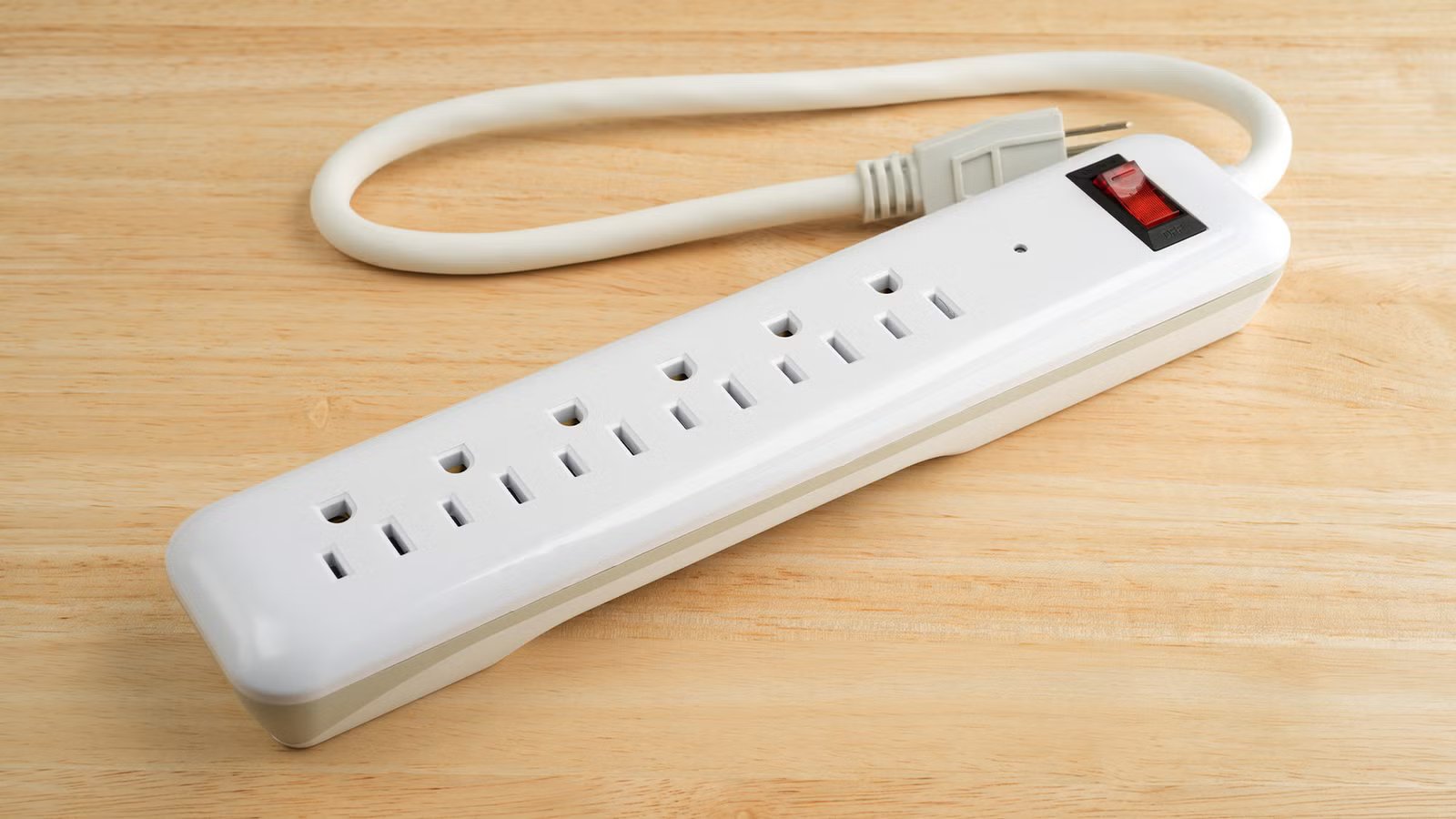
I’ve been building PCs for something around 20 years, and seeing as it’s a major hobby for me, I like to lurk around various PC building communities or talk to other PC owners. And one of the things that I see most often is worrying about the expensive stuff. Makes sense: if you spend over $1,000 on a GPU, you want to keep it safe.
But we tend to get so into the weeds with the big ticket stuff that we forget that keeping that whole setup safe is much more important. One thing that gets taken for granted more than just about anything else is the humble surge protector. And guess what? They really don’t live forever.
Your surge protector isn’t immortal
It takes the hit so your PC doesn’t
Okay, be real with me: just how old is your surge protector?
Hey, I’m not here to throw stones in a glass house. I’m definitely using a couple of surge protectors that have gone past retirement age. But you can bet that my PC gets the nicest, newest surge protector I can get my hands on, and with good reason.
While surge protectors are definitely the type of thing you think you can buy once and forget about forever, unfortunately, that’s just not true.
The whole point of a surge protector is that it takes the punishment in place of your PC. When there’s a voltage spike, whether from a storm or a power grid problem, the surge protector jumps in front of your PC as the unsung hero that it really is and absorbs or redirects that excess energy before it reaches your hardware. That protection isn’t infinite, though. Over time, those internal components do wear down.
The worst thing is that you may not notice when your surge protector is approaching that end-of-life stage. There may be no pop, smoke, fried smell, or sudden moment when your whole setup goes dark (hopefully not, at least). While some outlets can keep working, the actual surge protection may no longer be doing much of anything.
 Quiz
QuizSurge protectors, UPS devices, and power
Trivia challenge
Do you really know how to protect your PC from the grid? Test your knowledge of power surges, brownouts, and backup power.
Power SafetyHardwareUPSElectricityProtection
What is a power surge, in the context of computing?
Correct! A power surge is a sudden, brief spike in voltage above the standard level — typically 120V in North America. These spikes can damage sensitive electronics by overwhelming their internal components with more electricity than they were designed to handle.
Not quite. A power surge specifically refers to a brief spike in voltage above normal levels. Voltage drops are called brownouts, and complete power loss is a blackout — two different (but equally dangerous) problems for your PC.
What is the difference between a brownout and a blackout?
Correct! A brownout is a reduction in voltage — intentional by utility companies during peak demand, or accidental due to grid stress — while a blackout is a total loss of power. Brownouts are actually dangerous for computers because low voltage can cause components to work harder and overheat.
Not quite. A brownout means voltage is reduced but power is still present, while a blackout is a complete outage. Brownouts are often overlooked but can be just as damaging to computers as full outages, since components struggle under low-voltage conditions.
What does a basic surge protector use internally to absorb excess voltage?
Correct! Most surge protectors rely on metal oxide varistors (MOVs) to clamp excess voltage and divert it safely to the ground wire. MOVs degrade over time with each surge they absorb, which is why surge protectors don’t last forever — even if they still pass power.
Not quite. The key component in most surge protectors is a metal oxide varistor, or MOV. It works by becoming conductive when voltage spikes, diverting the excess energy away from your devices. The downside is that MOVs wear out silently, meaning an old surge protector may offer no real protection.
What does UPS stand for in the context of computer power protection?
Correct! UPS stands for Uninterruptible Power Supply. It combines surge protection with a built-in battery, allowing your computer to keep running — or safely shut down — during a blackout. This makes a UPS far more capable than a basic surge protector strip.
Not quite. UPS stands for Uninterruptible Power Supply. The name reflects its core purpose: ensuring that power to your computer is never fully interrupted, even during a grid failure, by instantly switching to battery backup.
Which type of UPS provides the highest level of protection by always running connected devices off its battery, with the AC mains continuously recharging it?
Correct! A double-conversion, or online, UPS constantly converts incoming AC power to DC and back to AC, meaning your devices always run off clean, battery-regulated power. There is zero transfer time during an outage, making it the gold standard for servers and critical systems.
Not quite. The double-conversion (online) UPS is the most protective type. Unlike standby or line-interactive models that switch to battery only when needed, a double-conversion UPS runs everything through its battery continuously, eliminating transfer delay and delivering perfectly clean power at all times.
Why is it generally a bad idea to plug a laser printer into a UPS battery outlet?
Correct! Laser printers use a heating element called a fuser that draws massive current spikes when printing. These spikes can overwhelm a typical UPS battery, potentially damaging it or tripping its overload protection. Most UPS manufacturers explicitly warn against connecting laser printers to the battery-backed outlets.
Not quite. The real issue is that laser printers draw enormous and sudden surges of current — particularly from their fuser heating element — that can easily exceed a UPS’s battery capacity. It’s fine to plug a laser printer into a UPS’s surge-only outlet, but not the battery-backed ones.
Which of the following is the most common natural cause of power surges reaching your home or office?
Correct! Lightning is the most well-known natural cause of power surges. Even a strike that doesn’t hit your building directly can induce massive voltage spikes through nearby power lines and enter your home through the electrical system. A quality surge protector or UPS is your best defense.
Not quite. While solar flares and geomagnetic storms can affect large-scale power infrastructure, the most common natural cause of household power surges is lightning striking nearby power lines. These strikes can send enormous voltage spikes through the grid and straight into your outlets.
What specification should you check on a surge protector to gauge how much surge energy it can absorb before failing?
Correct! The joule rating tells you how much total surge energy a surge protector’s MOVs can absorb over their lifetime. A higher joule rating means more protection and a longer useful lifespan. For desktop computers, look for at least 1,000 to 2,000 joules, and more for expensive workstations or home theater setups.
Not quite. The joule rating is the key spec to look for when comparing surge protectors. It represents the total amount of surge energy the device can absorb across its lifetime. Once those joules are used up — often invisibly — the protector offers no more defense, even if it still powers your devices normally.
Your Score
/ 8
Thanks for playing!
The lights matter, but they’re hardly the only thing to care about
A dead protector can still power your PC

So, if your PC and your peripherals still power up and your surge protector isn’t on fire as we speak, how do you tell that it’s busted?
The indicator lights come to mind. If your surge protector has a “protected” light, check it. If it’s off, faded, or flickering, that’s a huge red flag. The same goes for a “grounded” or “wiring fault” light. Those lights are the closest thing your surge protector has to waving its tiny arms around and telling you it’s having a bad time.
But I wouldn’t treat those lights as the only thing that matters. More obvious signs are more important: loose outlets, a cracked casing, warmth around the plug, a weird smell, or discoloration are much more concerning.
Replacing the strip is the easy fix
It’s cheap, so you might as well do it

The good news is that replacing your surge protector is one of the least painful PC upgrades you can make. Especially when you think about it in terms of value instead of just how much it costs you.
A surge protector is, quite literally, saving you thousands upon thousands of dollars. If it does its job and protects your expensive GPU or CPU from a power surge, you’re in luck. And seeing as that’s what it was made for, it’s really not the right thing to try to save money on.
The same way I’d always recommend making sure your PC has a solid power supply, the surge protector is worth every penny. As soon as you see signs of aging in yours, consider replacing it.
When buying a replacement, make sure you’re actually getting a surge protector and not just a power strip. Look for a reputable brand, enough outlets for your setup, a proper protection indicator light, and enough spacing for bulky power bricks. A higher joule rating is generally better, but the more important thing is that you’re buying something meant to protect electronics, not just something that multiplies one outlet into six.
A UPS is better for outages, but it solves different problems
It’s still a fantastic purchase, though

Other than a surge protector, many people (myself included) recommend getting a UPS. It’s definitely worth it if your area gets power cuts or those tiny split-second flickers that make your PC shut down. Unlike a basic surge protector, a UPS gives your battery backup, so instead of everything going black the moment the power drops, you get a little breathing room to save your work and shut down the PC properly. Forced shut downs are terribly unhealthy for your SSD.
With that said, a UPS solves a different problem. The surge protector deals with voltage spikes; a UPS keeps your PC running even when the power is unstable or gone entirely. Many UPS units also include surge protection, which is a great solution.
Keeping your PC safe is worth the money
At the end of the day, it all comes down to keeping your PC safe. It’s an unglamorous purchase that you probably don’t care for too much, but if it saves your PC even one time, that’ll still be worth it. Consider replacing yours if it’s old.

- Output
-
7 Amps
- Connection type
-
Type B – 3 pin (North American)
This APC UPS is a battery backup and surge protector capable of keeping your PC running during voltages. It delivers 390W of power, which is enough for an office PC.



