
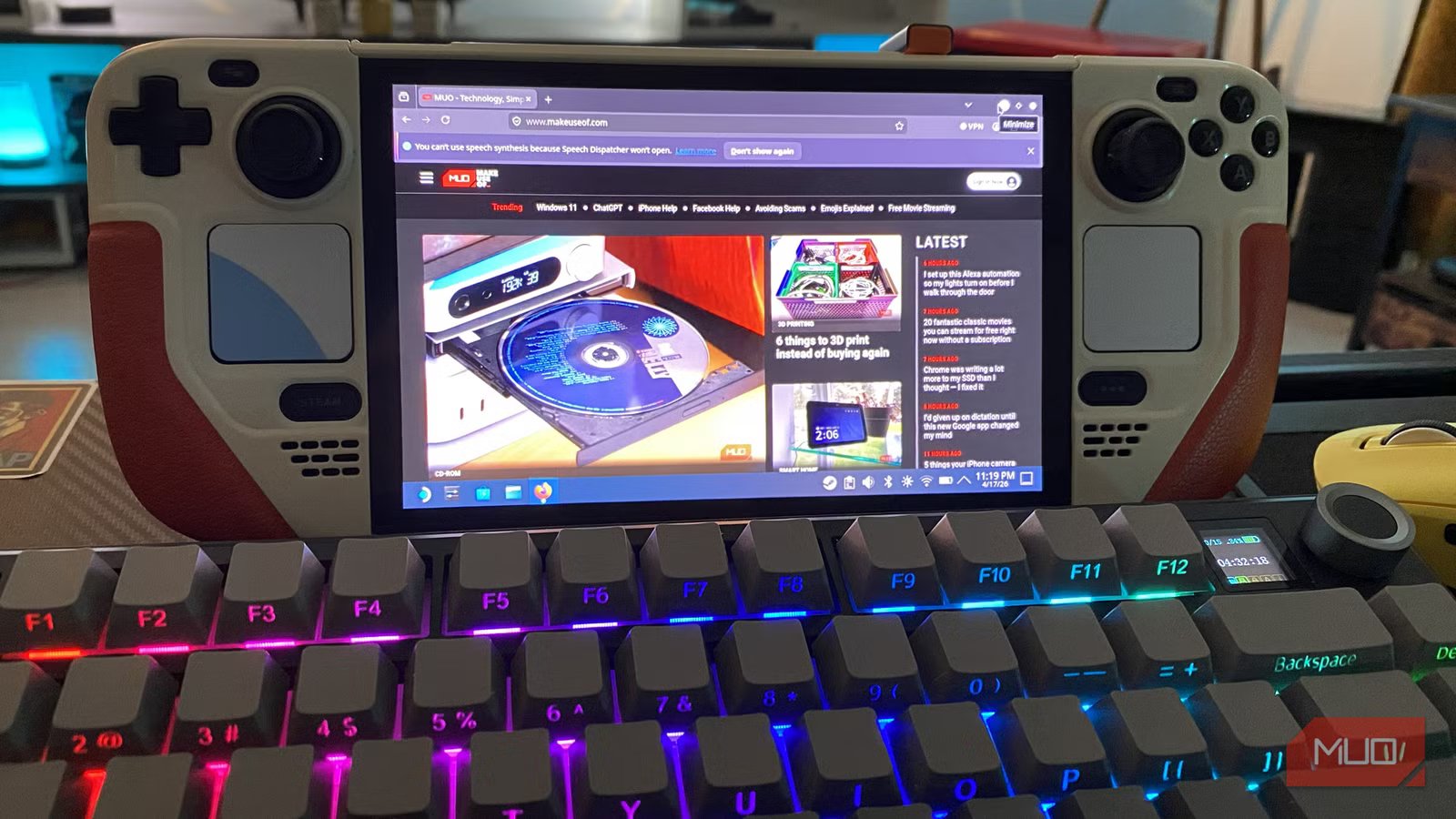
The Steam Deck is in a weird place at the moment. Despite the fact it beats every rival because of one thing no Windows handheld can match, this terrific little device is almost impossible to buy at its normal $549 MSRP due to RAMaggeddon. Valve hasn’t been able to restock Decks for months at the time of writing, which makes me feel really lucky to own this palm-friendly system that can also be turned into a decent mini PC.
With the revamped Steam Machine delayed for the foreseeable due to RAM shortages, now is a great time to experiment with turning your Deck into a legitimately functional teeny desktop. If you’re willing to pick up a relatively cheap accessory, you can open up a world of exciting software solutions that are so much easier to access with the Steam Deck acting as a mini PC compared to its default handheld mode.

This Nvidia app completely transformed the way I use my Steam Deck
Cloud gaming on Valve’s handheld is incredible with this one app.
I bought a dock for my Deck
A docking station can transform your handheld
Let’s be honest: the COVID pandemic utterly transformed the way so many modern jobs work. Far fewer people need to commute to their roles anymore, and as such, the portability of handheld consoles means less — not that’s obviously a major takeaway from such a devastating global crisis. It’s in this context that I’d urge those of you who work from home and don’t travel regularly to invest in a docking station for the Steam Deck.
I’ll freely admit it. I was using my Steam Deck wrong until I made this one change. Said change was investing in a sub-$40 Baseus dock that makes it so much easier to connect my 2.4GHz dongle PC gamepad of choice, and preferred keyboard and mouse options to Valve’s handheld. Oh, and it also acts as a handy stand for Valve’s portable PC.
Even though I like my Steam Deck OLED’s responsive trackpads (their haptics feel fantastic), on occasion, I enjoy playing modern point-and-click classics like Disco Elysium with a wireless mouse and 75% form factor mechanical keyboard. While the Deck’s Bluetooth features are generally pretty reliable, connecting the dongles of my peripherals to the back of the Baseus dock is a doddle.
Connecting a docking station to the Deck also makes using the handheld’s Desktop Mode miles more accessible. Speaking of which…
Desktop mode changes the game
Welcome to a fully functioning Linux system

Provided you’ve connected Valve’s wondrous little handheld to a dock like I’ve just suggested, using Desktop Mode on the Steam Deck can be a joy. Am I saying you should swap a gaming laptop that can act as an amazing workstation for a 720p handheld with a 7.4-inch screen? Obviously not. What I am saying is there’s a quirky appeal to seeing Valve’s device act as a fully functional Linux PC.
Though I’ve just praised the handheld’s trackpads, I’d rather gargle sulfuric acid than be forced to navigate Desktop Mode with these inputs. Thankfully, with the Deck hooked up to a keyboard and mouse, getting around the teeny gaming device’s OS is mostly hassle-free.
And it really is worth experimenting with the Deck’s Desktop Mode. Not only can you use it for basic functions like web browsing, this mode also lets you install emulators like EmuDeck or custom Proton packs to improve game compatibility for certain titles.
Desktop Mode has saved my bacon more than once. Recently, I was experiencing hardware issues with my Deck — specifically, its face buttons weren’t working properly. Despite going through half a dozen factory resets, what eventually whipped my handheld back into full working order was downloading a previous version of SteamOS then reimaging it via a USB stick. Without my docking station and Desktop Mode, my handheld would probably still be bricked.
Desktop apps can transform the Steam Deck
The software that has massively improved my handheld

Not long ago, I transformed my Steam Deck into a portable PS5 with this one app. Playing the still console-exclusive Gran Turismo 7 on the Deck is an absolute thrill for a lifelong racing fan like myself, and without Chiaki-ng I would never be tearing up the Nürburgring in an Aston Martin Valkyrie on Valve’s handheld.
This free open-source remote play client allows you to stream games from your PS5 or PS5 Pro directly to your Steam Deck, and I’ve found the results to be visually superior to using Sony’s compromised (not to mention, expensive) PlayStation Portal. By turning my Deck into a functioning mini PC, downloading Chiaki-ng then getting it to play ball in quick order took me less than 20 minutes. If I was fiddling around in Desktop Mode using the handheld’s trackpads, I’m certain it would have taken double that time.
Embracing the delights of Desktop Mode has also made me realize the value of the Nvidia app I teased near the top of this article. The RTX 5080 tier of GeForce Now Ultimate is an absolute revelation on the Steam Deck OLED.
Thanks to the power of the cloud, you can easily stream high-end AAA titles such as Cyberpunk 2077 at the handheld’s native 720p screen resolution at 90 FPS with every graphical bell and whistle cranked to the max. Desktop Mode made downloading this transformative software an idiot-proof breeze, and seeing Indiana Jones and the Great Circle with full path tracing enabled on the Deck OLED’s pinsharp 7.4-inch screen is something else.
The Steam Deck can make a surprisingly good mini PC
Transforming my Steam Deck OLED into a tiny PC I can enjoy from the comfort of my living room was a simple process thanks to the affordable docking station below. With this accessory, playing around with Desktop Mode has been headache-free, giving me access to some wonderful pieces of software that have completely transformed the way I interact with my Deck. Once Valve’s handheld starts selling for sensible prices again, I strongly suggest you consider turning it into a lounge-friendly mini PC.



